JD.AI
An AI-powered terminal assistant and multi-channel platform built on Microsoft Semantic Kernel. Connect to 15 AI providers — from cloud APIs to fully local models — and get a complete coding agent in your terminal.
Get started · View on GitHub · NuGet package
Install in one command
dotnet tool install --global JD.AI
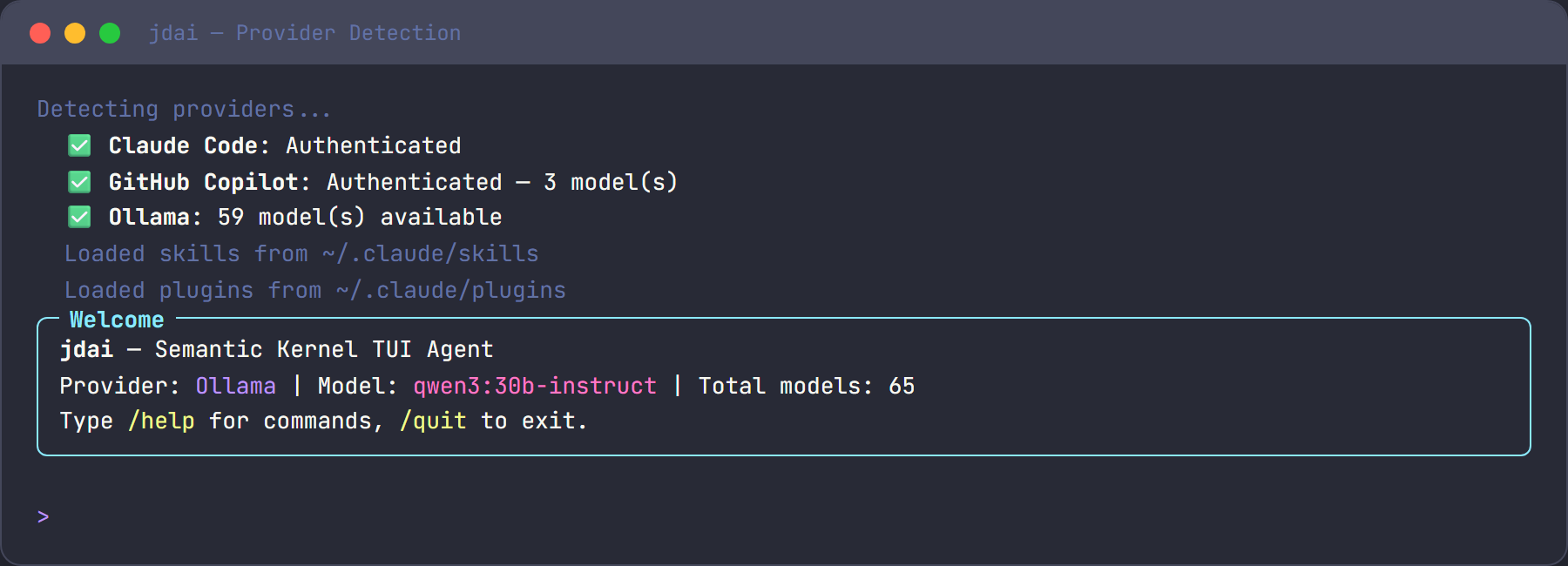
jdai
JD.AI auto-detects available providers. No manual configuration needed.
What you can do
| Task | Example prompt |
|---|---|
| Explore codebases | what does this project do? |
| Fix bugs | the login fails after timeout, fix it and verify with tests |
| Refactor code | refactor the auth module to use async/await |
| Write tests | write unit tests for the Calculator.Divide method |
| Create commits | commit my changes with a descriptive message |
| Spawn subagents | use an explore agent to find how caching works |
| Orchestrate teams | use a debate team to discuss microservices vs monolith |
| Search the web | what are the latest features in .NET 10? |
Features at a glance
| Feature | Description |
|---|---|
| Multi-provider | 15 AI providers including Claude Code, Copilot, Ollama, OpenAI, Anthropic, Azure, Gemini, Bedrock, Foundry Local, and more |
| 35+ slash commands | Model switching, sessions, context, workflows, defaults |
| 17 tool categories | Files, search, shell, git, web, memory, subagents, think, tasks, code execution, clipboard, questions, diff/patch, batch edit, usage tracking |
| Tool loadouts | Curated tool bundles — expose only the tools each agent needs; 5 built-ins (minimal, developer, research, devops, full) |
| 5 subagent types | Explore, task, plan, review, general-purpose |
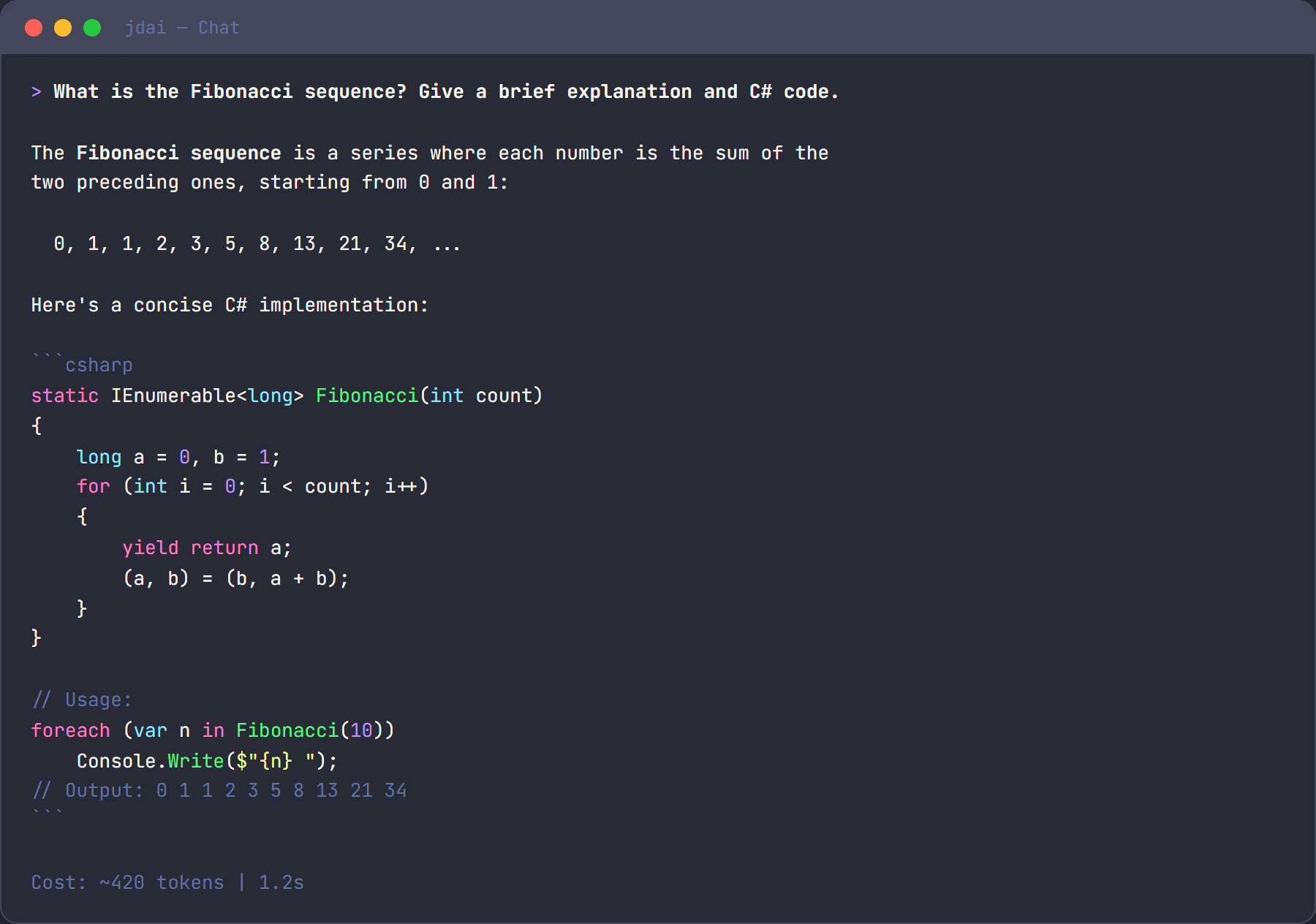
| 4 orchestration strategies | Sequential, fan-out, supervisor, debate team coordination |
| 6 channel adapters | Discord, Signal, Slack, Telegram, Web, OpenClaw |
| Session persistence | Save, load, export conversations across sessions |
| MCP integration | Connect external tool servers via Model Context Protocol |
| Workflows | Composable multi-step automation with /workflow commands |
| Observability | OpenTelemetry tracing, metrics, health checks |
| Git checkpointing | Safe rollback with stash/directory/commit strategies |
| Skills & plugins | Native managed skills/plugins/hooks lifecycle |
| Auto-update | Check and apply updates via NuGet from your terminal |
Documentation
User Guide — Using JD.AI
For anyone using jdai as a tool. Installation, provider setup, commands, workflows, and best practices.
- Installation — Get JD.AI running in minutes
- Quickstart — Your first task, step by step
- Provider Setup — Configure any of the 15 providers
- Commands — All 35+ slash commands at a glance
- Common Workflows — Bug fixing, refactoring, testing, PRs
- Best Practices — Effective prompting and context management
Developer Guide — Extending & integrating
For developers building on JD.AI. Architecture, custom tools, providers, plugins, and the gateway API.
- Architecture Overview — How JD.AI is built
- Custom Tools — Write your own Semantic Kernel tools
- Tool Loadouts — Curated tool bundles for agents and workflows
- Custom Providers — Add new AI providers
- Plugin SDK — Build distributable plugins
- Gateway API — REST & SignalR integration
Specifications (UPSS) — Living product specs
The Unified Product Specification System — 18 machine-verifiable spec types covering product intent through operational governance.
- UPSS Overview — What UPSS is, the dependency graph, and why it matters
- Authoring Guide — How to create, validate, and maintain specs
- Specification Catalog — Complete reference for all 18 spec types
- Generated Spec Views — Rendered per-spec pages for review and navigation
Operations — Deploy, monitor, govern
For ops teams and administrators. Deployment, observability, security, and enterprise governance.
- Service Deployment — Windows Service, systemd, containers
- Observability — OpenTelemetry, health checks, Kubernetes
- Security & Credentials — Encrypted storage, API key management
- Enterprise Governance — Usage limits, policies, compliance
Reference — Quick lookup
Complete reference material for CLI flags, commands, tools, providers, and configuration.
- CLI Reference — All flags, environment variables, exit codes
- Commands Reference — Full 35+ command documentation
- Tools Reference — All 17 tool categories with parameters
- Providers Reference — Comparison tables and capabilities
- API Reference — Generated API documentation