Channel Adapters
Channel adapters connect the JD.AI Gateway to external messaging platforms. Each adapter implements the IChannel interface and translates platform-specific messaging into a unified ChannelMessage format.
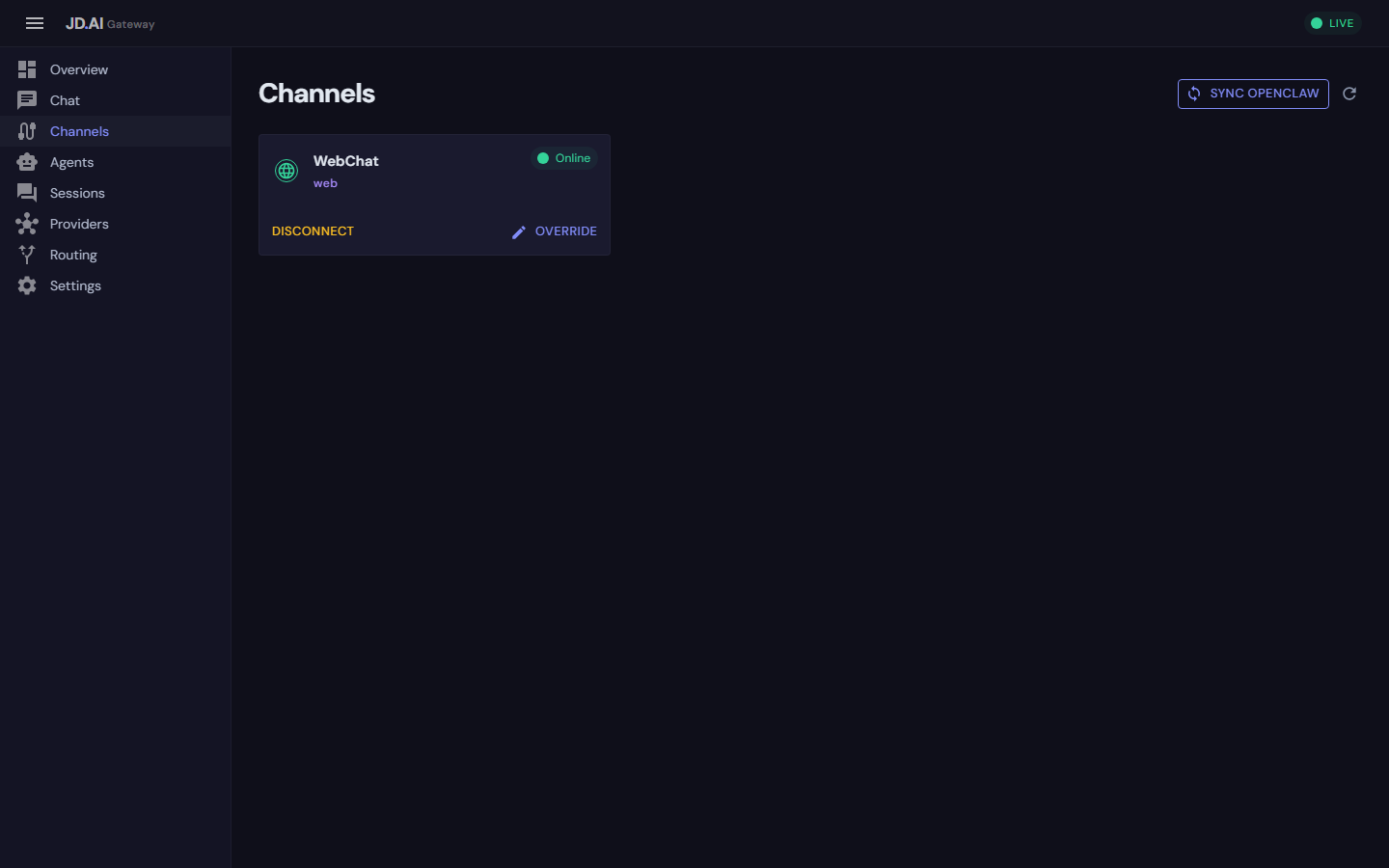
JD.AI ships with six adapters:
| Channel | Package | Transport |
|---|---|---|
| Discord | JD.AI.Channels.Discord |
WebSocket (Discord.Net) |
| Signal | JD.AI.Channels.Signal |
JSON-RPC via signal-cli |
| Slack | JD.AI.Channels.Slack |
Socket Mode (SlackNet) |
| Telegram | JD.AI.Channels.Telegram |
Long polling (Telegram.Bot) |
| WebChat | JD.AI.Channels.Web |
SignalR bridge |
| OpenClaw | JD.AI.Channels.OpenClaw |
HTTP polling |
IChannel interface
Every adapter implements IChannel from JD.AI.Core:
public interface IChannel : IAsyncDisposable
{
    string ChannelType { get; }
    string DisplayName { get; }
    bool IsConnected { get; }

    Task ConnectAsync(CancellationToken ct = default);
    Task DisconnectAsync(CancellationToken ct = default);
    Task SendMessageAsync(string conversationId, string content, CancellationToken ct = default);

    event Func<ChannelMessage, Task>? MessageReceived;
}
| Member | Purpose |
|---|---|
ChannelType |
Unique identifier ("discord", "slack", etc.) |
DisplayName |
Human-readable name for UI and API |
IsConnected |
Live connection status |
ConnectAsync |
Establish the external connection |
DisconnectAsync |
Gracefully tear down the connection |
SendMessageAsync |
Send an outbound message to a conversation |
MessageReceived |
Event raised when an inbound message arrives |
ICommandAwareChannel
Channels supporting native command registration implement:
public interface ICommandAwareChannel
{
    Task RegisterCommandsAsync(ICommandRegistry registry, CancellationToken ct = default);
}
The gateway automatically registers commands with command-aware channels after connection. Discord and Slack support native slash commands; Signal uses prefix commands (!jdai-help).
Direct Discord command fast path (primary)
In direct Discord integration (JD.AI.Channels.Discord routed through GatewayOrchestrator), JD.AI executes command fast paths before LLM routing:
!model list→models!model/!model current→status!model set <model>→switch <model>- Mention + bang is supported (for example:
<@bot-id> !model list)
Matched fast-path commands are executed through the shared gateway command dispatcher and bypass LLM inference.
Native commands vs OpenClaw bridge commands
- Native adapters (Discord/Slack/Signal) are the primary runtime path and share the same gateway command dispatcher.
- OpenClaw remains an optional compatibility transport. It does not register platform-native JD.AI commands; bridge sessions support
/jdai-...command messages and reuse the same dispatcher.
Use this model when documenting runtime handoff:
- Native channels: JD.AI is the primary command/runtime owner.
- OpenClaw bridge: compatibility transport with opt-in command execution.
ChannelMessage
All inbound messages are normalized to this record:
public record ChannelMessage
{
    public required string Id { get; init; }
    public required string ChannelId { get; init; }
    public required string SenderId { get; init; }
    public string? SenderDisplayName { get; init; }
    public required string Content { get; init; }
    public DateTimeOffset Timestamp { get; init; }
    public string? ThreadId { get; init; }
    public string? ReplyToMessageId { get; init; }
    public IReadOnlyList<ChannelAttachment> Attachments { get; init; }
    public IReadOnlyDictionary<string, string> Metadata { get; init; }
}
ChannelAttachment
Attachments use lazy streaming — content is only downloaded when OpenReadAsync is called:
public record ChannelAttachment(
    string FileName,
    string ContentType,
    long SizeBytes,
    Func<CancellationToken, Task<Stream>> OpenReadAsync);
IChannelRegistry
The gateway manages adapters through a thread-safe in-memory registry:
public interface IChannelRegistry
{
    IReadOnlyList<IChannel> Channels { get; }
    void Register(IChannel channel);
    void Unregister(string channelType);
    IChannel? GetChannel(string channelType);
}
Registered as a singleton in the gateway's DI container. Channel REST endpoints (/api/channels/*) use the registry for all operations.
Writing a custom channel adapter
1. Create a class library
dotnet new classlib -n JD.AI.Channels.MyPlatform
cd JD.AI.Channels.MyPlatform
dotnet add reference ../JD.AI.Core/JD.AI.Core.csproj
2. Implement IChannel
public sealed class MyPlatformChannel : IChannel
{
    private readonly string _apiToken;
    private CancellationTokenSource? _cts;

    public string ChannelType => "my-platform";
    public string DisplayName => "My Platform";
    public bool IsConnected { get; private set; }

    public event Func<ChannelMessage, Task>? MessageReceived;

    public MyPlatformChannel(string apiToken)
    {
        _apiToken = apiToken;
    }

    public async Task ConnectAsync(CancellationToken ct = default)
    {
        // 1. Validate credentials
        // 2. Establish connection (WebSocket, polling, etc.)
        // 3. Start receiving messages
        _cts = CancellationTokenSource.CreateLinkedTokenSource(ct);
        _ = Task.Run(() => MessageLoop(_cts.Token), _cts.Token);
        IsConnected = true;
    }

    public async Task DisconnectAsync(CancellationToken ct = default)
    {
        _cts?.Cancel();
        IsConnected = false;
    }

    public async Task SendMessageAsync(
        string conversationId, string content, CancellationToken ct = default)
    {
        // Send message to the external platform
        await _client.PostMessageAsync(conversationId, content, ct);
    }

    public ValueTask DisposeAsync()
    {
        _cts?.Cancel();
        _cts?.Dispose();
        IsConnected = false;
        return ValueTask.CompletedTask;
    }

    private async Task MessageLoop(CancellationToken ct)
    {
        while (!ct.IsCancellationRequested)
        {
            var platformMsg = await _client.ReceiveAsync(ct);

            var message = new ChannelMessage
            {
                Id = platformMsg.Id,
                ChannelId = platformMsg.ConversationId,
                SenderId = platformMsg.UserId,
                SenderDisplayName = platformMsg.UserName,
                Content = platformMsg.Text,
                Timestamp = platformMsg.Timestamp,
                ThreadId = platformMsg.ThreadId,
                Attachments = Array.Empty<ChannelAttachment>(),
                Metadata = new Dictionary<string, string>()
            };

            if (MessageReceived is not null)
                await MessageReceived.Invoke(message);
        }
    }
}
3. Register with the gateway
Option A: Code registration
var registry = app.Services.GetRequiredService<IChannelRegistry>();
registry.Register(new MyPlatformChannel(apiToken: "your-token"));
Option B: Configuration-based
{
  "Gateway": {
    "Channels": [
      {
        "Type": "my-platform",
        "Name": "My Platform Bot",
        "Settings": { "ApiToken": "..." }
      }
    ]
  }
}
Adapter lifecycle
Register → ConnectAsync → [Active: receiving/sending messages]
    → DisconnectAsync → Unregister → DisposeAsync
Connection management
ConnectAsyncshould verify credentials and wait for a ready state before returningDisconnectAsyncshould cancel background loops and wait for clean shutdownIsConnectedmust accurately reflect the live state- Handle reconnection internally for transient failures
Error handling
- Log connection errors but don't throw from the message loop
- Implement backoff for polling-based adapters
- Use
CancellationTokenfor clean shutdown
Routing messages to agents
Subscribe to MessageReceived to route inbound messages:
var channel = registry.GetChannel("my-platform")!;
var agentPool = app.Services.GetRequiredService<AgentPoolService>();

channel.MessageReceived += async (msg) =>
{
    var response = await agentPool.SendMessageAsync(targetAgentId, msg.Content);
    if (response is not null)
        await channel.SendMessageAsync(msg.ChannelId, response);
};
Health monitoring
The gateway's /health endpoint reports overall status. Check individual channels via the REST API:
# List all channels with status
curl http://localhost:18789/api/channels

# Connect a specific channel
curl -X POST http://localhost:18789/api/channels/my-platform/connect

# Disconnect
curl -X POST http://localhost:18789/api/channels/my-platform/disconnect
Monitor channel events via the Event Hub (/hubs/events):
await foreach (var evt in connection.StreamAsync<GatewayEvent>(
    "StreamEvents", "channel.*"))
{
    // channel.connected, channel.disconnected, channel.message_received
    Console.WriteLine($"[{evt.Type}] {evt.SourceId}");
}
Built-in adapter patterns
WebSocket-based (Discord)
Platform Server → WebSocket → Event handler → ChannelMessage → MessageReceived
- Use the platform SDK's WebSocket client
- Map platform events to
ChannelMessage - Wait for a
Readyevent before returning fromConnectAsync
Process-based (Signal)
signal-cli (JSON-RPC stdout) → Parse JSON → ChannelMessage → MessageReceived
- Spawn a child process in
ConnectAsync - Read stdout line-by-line in a background loop
- Kill the process in
DisconnectAsync
Polling-based (OpenClaw, Telegram)
HTTP GET /messages?since=... → Parse response → ChannelMessage → MessageReceived
- Poll at a configurable interval
- Track the last-seen timestamp to avoid duplicates
- Implement exponential backoff on errors
In-process (WebChat)
SignalR Hub → IngestMessageAsync → ChannelMessage → MessageReceived
- No external connection — acts as a bridge between SignalR and
IChannel ConnectAsyncreturns immediately
Channel comparison
| Feature | Discord | Signal | Slack | Telegram | WebChat | OpenClaw |
|---|---|---|---|---|---|---|
| Threads | ✓ | — | ✓ | ✓ | — | — |
| Attachments | ✓ | — | — | — | — | — |
| Group chat | ✓ | ✓ | ✓ | ✓ | — | — |
| DMs | ✓ | ✓ | ✓ | ✓ | — | — |
| Native commands | ✓ | ✓ | ✓ | — | — | — |
| External dep | Discord.Net | signal-cli | SlackNet | Telegram.Bot | None | HttpClient |
| Transport | WebSocket | Process I/O | Socket Mode | Long poll | In-process | HTTP poll |
See also
- Gateway API — REST endpoints for channel management
- OpenClaw Integration — cross-gateway orchestration
- Architecture Overview — channel layer in the system
- Channel Adapters user guide — platform setup guides