Architecture Overview
JD.AI is an AI-powered terminal assistant built on Microsoft Semantic Kernel. This guide explains the internal architecture for developers who want to understand, extend, or contribute to JD.AI.
Project structure
The solution is organized into 18 projects across four layers:
JD.AI.slnx
├── src/
│   ├── JD.AI                          # CLI entry point, slash commands, TUI
│   ├── JD.AI.Core                     # Providers, tools, agents, config, MCP
│   ├── JD.AI.Workflows                # Replayable multi-step workflow engine
│   ├── JD.AI.Telemetry                # OpenTelemetry tracing, metrics, health
│   ├── JD.AI.Plugins.SDK              # Plugin SDK (NuGet package)
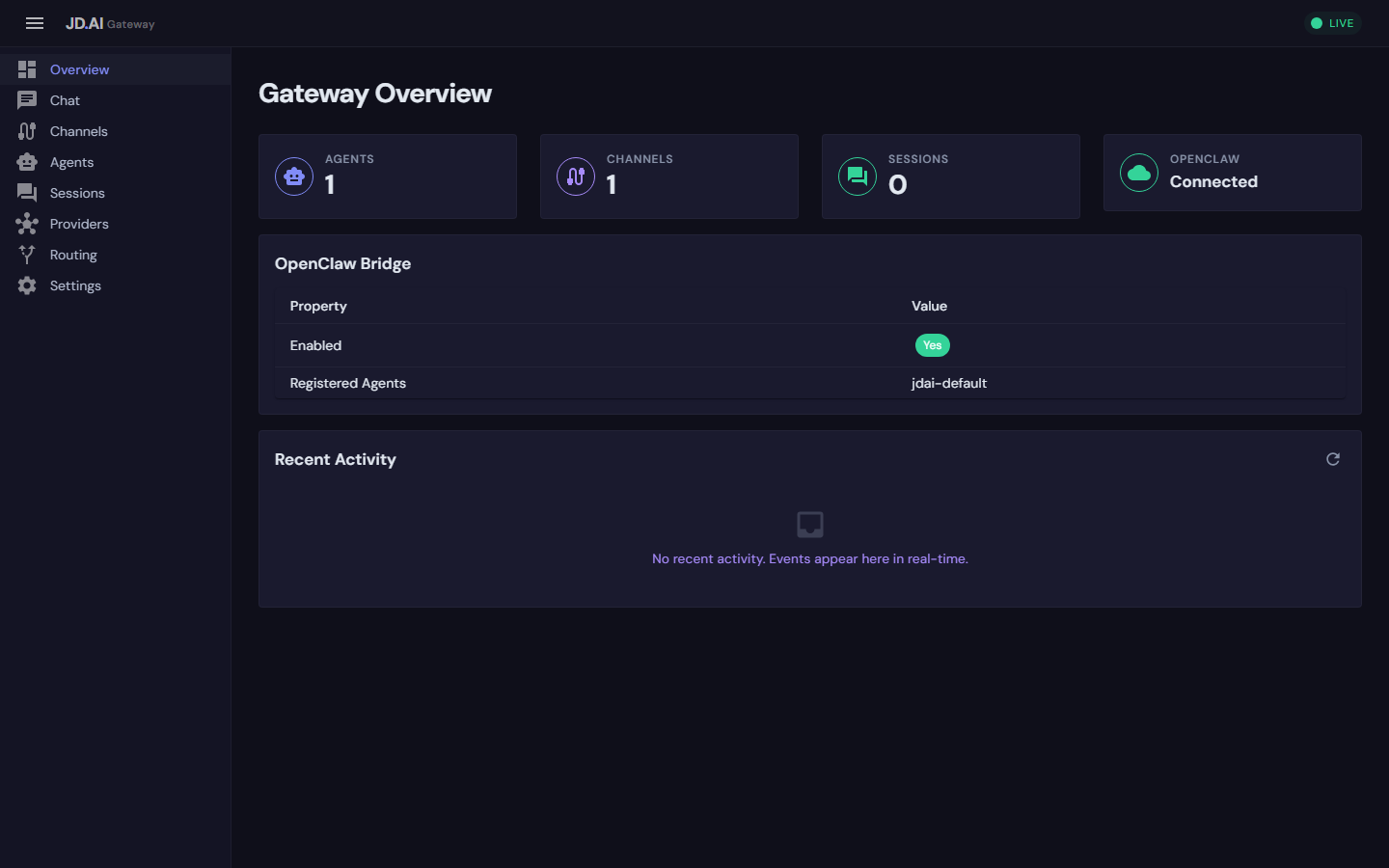
│   ├── JD.AI.Gateway                  # HTTP gateway, SignalR hubs, Blazor dashboard
│   ├── JD.AI.Daemon                   # Background service host
│   ├── JD.AI.Dashboard.Wasm           # Blazor WebAssembly dashboard
│   ├── JD.AI.Channels.Discord         # Discord adapter
│   ├── JD.AI.Channels.Signal          # Signal adapter
│   ├── JD.AI.Channels.Slack           # Slack adapter
│   ├── JD.AI.Channels.Telegram        # Telegram adapter
│   ├── JD.AI.Channels.Web             # WebChat (SignalR) adapter
│   └── JD.AI.Channels.OpenClaw        # OpenClaw bridge adapter
├── tests/
│   ├── JD.AI.Tests
│   ├── JD.AI.Core.Tests
│   └── JD.AI.Workflows.Tests
└── samples/
Layered architecture
JD.AI follows a strict layering model. Higher layers depend on lower layers, never the reverse.
┌─────────────────────────────────────────────────────────────┐
│                        Gateway                              │
│  REST API · SignalR Hubs · Agent Pool · Blazor Dashboard    │
├─────────────────────────────────────────────────────────────┤
│                       Channels                              │
│  Discord · Signal · Slack · Telegram · Web · OpenClaw       │
├─────────────────────────────────────────────────────────────┤
│                    Applications                             │
│  CLI (JD.AI) · Daemon · Workflows · Telemetry · Plugins SDK │
├─────────────────────────────────────────────────────────────┤
│                         Core                                │
│  Providers · Tools · Agents · Config · MCP · Sessions       │
└─────────────────────────────────────────────────────────────┘
Core (JD.AI.Core)
The foundation layer containing:
- Providers —
IProviderDetectorimplementations for 15 AI providers (Claude Code, Copilot, Codex, Ollama, Local GGUF, OpenAI, Azure OpenAI, Anthropic, Gemini, Mistral, Bedrock, HuggingFace, OpenRouter, OpenAI-compatible, Foundry Local) - Tools — 17 tool categories registered as Semantic Kernel plugins
- Agents —
SubagentRunner, orchestration strategies,AgentSession - Config —
AtomicConfigStorepersisted to~/.jdai/config.json - MCP —
McpManagerfor Model Context Protocol server integration - Sessions — SQLite-backed session persistence
Applications (JD.AI, JD.AI.Workflows, JD.AI.Telemetry)
- CLI —
Program.csentry point,SlashCommandRouter(33+ commands),ChatRenderer(Spectre.Console TUI),InteractiveInput(readline + completions) - Workflows —
IWorkflowCatalog,AgentWorkflowDefinition, step execution engine - Telemetry — OpenTelemetry distributed tracing, metrics, and health checks
Channels (JD.AI.Channels.*)
Six IChannel implementations that normalize external messaging into a unified ChannelMessage format. See Channel Adapters.
Gateway (JD.AI.Gateway)
ASP.NET Core control plane with AgentPoolService, ChannelRegistry, InProcessEventBus, REST API, and SignalR streaming hubs. See Gateway API.
Semantic Kernel foundation
JD.AI delegates all LLM interaction to Microsoft Semantic Kernel. Every agent session holds a Kernel instance configured by the active provider:
// Provider builds a Kernel with the appropriate chat completion service
Kernel kernel = providerDetector.BuildKernel(selectedModel);

// Tools are registered as SK plugins
kernel.Plugins.AddFromObject(new FileTools(cwd), "FileTools");
kernel.Plugins.AddFromObject(new GitTools(cwd), "GitTools");
kernel.Plugins.AddFromObject(new ShellTools(cwd), "ShellTools");
// ... 17 tool categories total
This means any Semantic Kernel extension — custom connectors, filters, prompt templates — works natively in JD.AI.
Provider abstraction
All 15 providers implement IProviderDetector:
public interface IProviderDetector
{
    string ProviderName { get; }
    Task<ProviderInfo> DetectAsync(CancellationToken ct = default);
    Kernel BuildKernel(ProviderModelInfo model);
}
DetectAsyncprobes for availability (checking local CLI sessions, API keys, running servers) and returns aProviderInfowith available models.BuildKernelcreates a configuredKernelwith the appropriateIChatCompletionService.
Provider detection runs at startup and on /providers refresh. Credentials are resolved through a priority chain: encrypted secure store (~/.jdai/credentials/) → IConfiguration → environment variables.
See Custom Providers for a guide to writing your own.
Tool pipeline
Tools are plain C# classes with [KernelFunction] attributes:
public class FileTools
{
    [KernelFunction("read_file")]
    [Description("Read file contents with an optional line range")]
    public string ReadFile(
        [Description("File path")] string path,
        [Description("Start line (1-based)")] int? startLine = null,
        [Description("End line (-1 for EOF)")] int? endLine = null)
    {
        // Implementation
    }
}
Tool execution flows through Semantic Kernel's function invocation pipeline:
LLM Response (tool_call) → SK FunctionInvocationFilter → ToolConfirmationFilter
    → User confirms (or auto-approved) → Tool executes → Result returned to LLM
The ToolConfirmationFilter is an IFunctionInvocationFilter that prompts for user confirmation before execution. This can be overridden with /autorun, /permissions, or the --dangerously-skip-permissions flag.
See Custom Tools for a guide to writing your own.
Agent lifecycle
An AgentSession encapsulates a single conversation:
User Input → SlashCommandRouter (if starts with /)
           → AgentLoop.RunAsync()
               → Kernel.InvokeStreamingAsync()
               → [Tool calls loop]
                   → FunctionInvocationFilter chain
                   → Tool execution
                   → Result appended to ChatHistory
               → Response streamed via ChatRenderer
           → SessionStore.SaveAsync() (if persistence enabled)
Dynamic model switching
Mid-session model switches use ConversationTransformer with five modes:
| Mode | Behavior |
|---|---|
| Preserve | Keep full history for the new model |
| Compact | Summarize conversation before switching |
| Transform | Re-format messages for the new model's style |
| Fresh | Start clean with the new model |
| Cancel | Abort the switch |
Each switch creates a fork point in session history, enabling rollback.
Subagents and orchestration
Subagents are isolated AI instances with scoped tools. The SubagentRunner builds a per-agent Kernel with only the tools appropriate for the agent type (explore, task, plan, review, general). When a IToolLoadoutRegistry is provided, tool scoping is driven by loadouts — each subagent type maps to a named loadout.
Orchestration coordinates multiple subagents via IOrchestrationStrategy:
| Strategy | Execution | Description |
|---|---|---|
| Sequential | Serial | Pipeline — each agent receives the previous output |
| Fan-out | Parallel | All agents run concurrently; synthesizer merges results |
| Supervisor | Dynamic | Coordinator dispatches tasks to specialists |
| Debate | Parallel + synthesis | Independent perspectives; moderator synthesizes |
All agents in a team share a TeamContext (scratchpad, event stream, results).
See Subagents, Tool Loadouts, and Team Orchestration.
Configuration and data directories
| Path | Purpose |
|---|---|
~/.jdai/config.json |
Global defaults (provider, model) |
~/.jdai/credentials/ |
Encrypted API keys |
~/.jdai/sessions.db |
SQLite session persistence |
~/.jdai/models/ |
Local GGUF model files |
~/.jdai/jdai.mcp.json |
MCP server configuration |
~/.jdai/plugins/ |
Personal plugins |
JDAI.md |
Per-project instructions |
Key services
| Service | Lifetime | Description |
|---|---|---|
ProviderRegistry |
Singleton | Detects providers, builds kernels |
AgentSession |
Scoped | Kernel, chat history, tools for one conversation |
SubagentRunner |
Transient | Builds and runs isolated subagent instances |
SessionStore |
Singleton | SQLite-backed session persistence |
AtomicConfigStore |
Singleton | Thread-safe global configuration |
McpManager |
Singleton | MCP server discovery and management |
AgentPoolService |
Singleton | Gateway agent instance management |
ChannelRegistry |
Singleton | Thread-safe channel adapter registry |
InProcessEventBus |
Singleton | Gateway event pub/sub |
Related packages
| Package | Description |
|---|---|
JD.AI.Plugins.SDK |
Plugin development SDK |
JD.SemanticKernel.Extensions |
Skills, hooks, plugins bridge for SK |
JD.SemanticKernel.Connectors.ClaudeCode |
Claude Code authentication connector |
JD.SemanticKernel.Connectors.GitHubCopilot |
GitHub Copilot authentication connector |
JD.SemanticKernel.Connectors.OpenAICodex |
OpenAI Codex authentication connector |
Next steps
- Extending JD.AI — fork, build, and add features
- Custom Tools — write Semantic Kernel tool plugins
- Tool Loadouts — curate tool subsets for agents and workflows
- Custom Providers — integrate new AI providers
- Plugin SDK — build distributable gateway plugins