Commands Reference
Use slash commands at the > prompt. Every command also accepts the /jdai- prefix for compatibility (example: /jdai-help, /jdai-models).
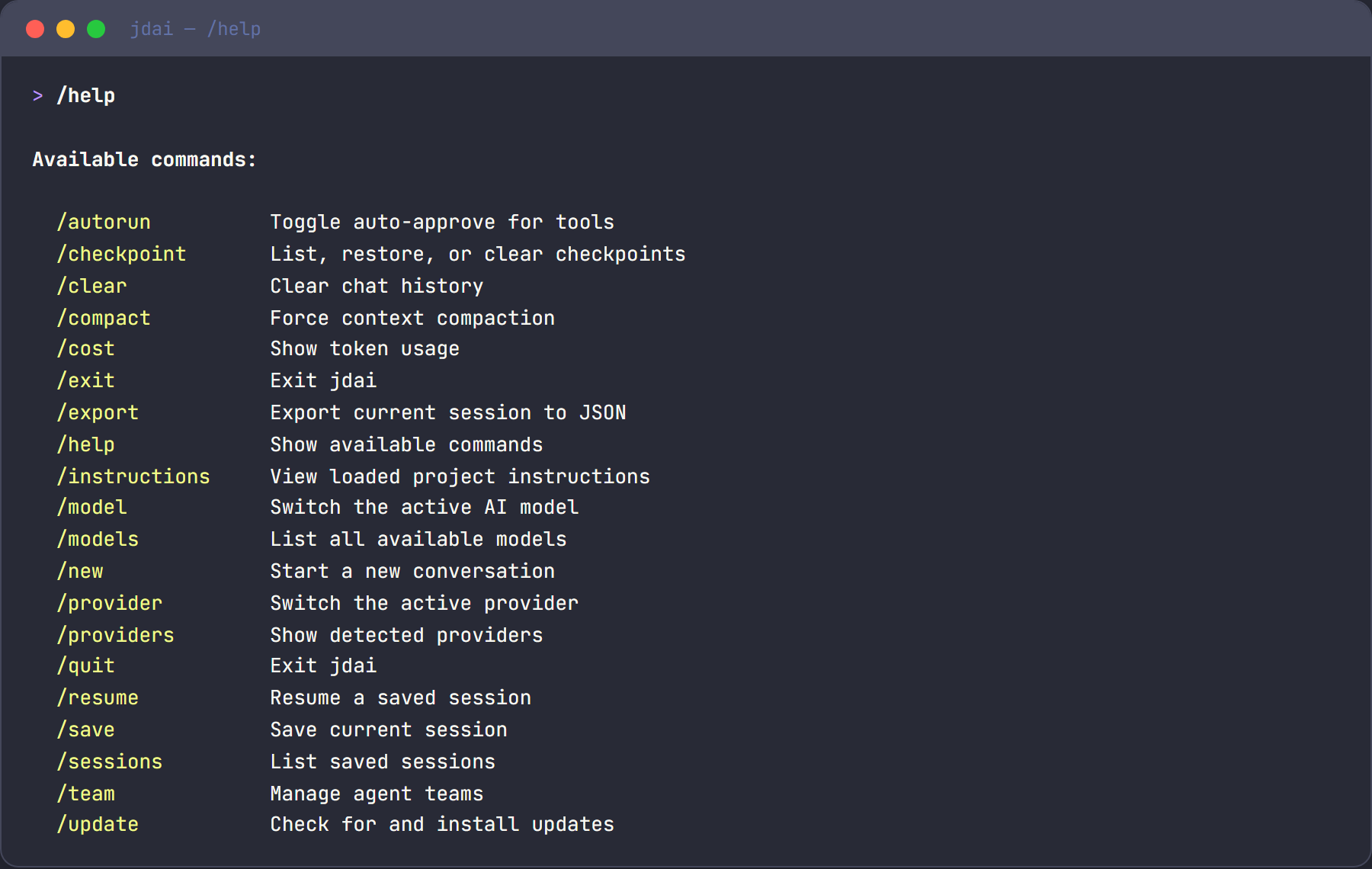
Command groups
JD.AI currently supports 35+ interactive commands:
- Discovery and model/provider management
- Session and context controls
- Safety and execution controls
- Reviews and diagnostics
- Local models and MCP server management
- UX customization and persisted config
- Agent/hook profiles and project memory
- Skills lifecycle inspection and reload
- Workflows and checkpoints
Discovery and model/provider commands
/help
Shows all available commands and short descriptions.
/models
Lists available models and marks the active session model.
/model [current|list|set <id>]
Session-scoped model management:
/modelor/model currentshows the active model for the current session./model listlists available models./model set <id-or-alias>switches only the current session model (does not persist defaults).
/model current
/model list
/model set claude-sonnet
/model set openai/gpt-4o
/model search <query>
Search remote model catalogs (Ollama, HuggingFace, Foundry Local) for models matching the query.
/model search llama 70b
/model search phi-3
Supports optional filters:
/model search --provider openrouter --cap reasoning --sort cost llama
/model search --sort popularity gpt
/model url <url>
Pull a model directly from a URL. Supports Ollama model URLs, HuggingFace repository URLs, and direct GGUF download links.
/model url https://ollama.com/library/llama3.2
/model url https://huggingface.co/TheBloke/Mistral-7B-Instruct-v0.2-GGUF
/providers
Lists detected providers and status.
/provider
Manage and inspect providers. Without arguments, shows an interactive picker to switch between available providers.
| Subcommand | Description |
|---|---|
/provider list |
Show all providers with status, model count, and auth method |
/provider add <name> |
Interactive wizard to configure an API-key provider |
/provider remove <name> |
Remove stored credentials for a provider |
/provider test [name] |
Test provider connectivity (all or specific) |
Provider names for /provider add: openai, azure-openai, anthropic, google-gemini, mistral, bedrock, huggingface, openai-compat.
Defaults management
/default
Show the current default provider and model (global and per-project).
/default provider <name>
Set the global default provider.
/default model <id>
Set the global default model.
/default project provider <name>
Set the per-project default provider for the current repo.
/default project model <id>
Set the per-project default model for the current repo.
/update [status|check|plan [target|latest]|apply [target|latest]]
Update orchestration commands:
status— show update workflow config and enabled componentscheck— check for available updatesplan— print the ordered drain/update/restart/reconnect planapply— execute the update workflow (subject to approval policy when enabled)
/doctor
Runs environment diagnostics (runtime, providers, model count, tools, plugin load status, and CLI availability).
/docs [topic]
Shows links to JD.AI documentation. Without a topic, lists key doc areas.
Session and context commands
/clear
Clears current conversation history for the active session.
/compact
Triggers context compaction immediately.
/reasoning [auto|none|low|medium|high|max]
Shows or sets session reasoning effort override for compatible reasoning models.
/reasoning
/reasoning low
/reasoning max
/reasoning auto
/context
Shows current context window usage with a visual bar.
/cost
Shows current session token usage.
/sessions
Lists recent sessions for the current project hash.
/resume [id]
Resumes a previous session. With no ID, shows a list and usage hint.
/name <name>
Sets a friendly name on the current session.
/history
Shows a summarized turn history for the current session.
/export
Exports current session to JSON under the JD.AI data directory.
/fork [name]
Forks the active session into a new session branch, optionally named.
Safety and execution controls
/autorun [on|off]
Enables or disables auto-run behavior for tools.
Warning
on can allow writes, shell commands, and networked operations to execute without per-call confirmation.
/permissions [on|off]
Enables or disables permission checks entirely for the current session.
Warning
off is equivalent to running with fully skipped confirmation behavior for that session.
/sandbox
Shows available sandbox modes and configuration guidance.
/plan
Toggles plan mode on/off for exploration-first behavior.
/copy
Copies the last assistant response to clipboard.
/diff
Shows uncommitted git diff (git diff, then staged diff fallback).
Audit commands
/audit
Shows recent audit events from the in-memory audit buffer. Supports filtering by severity. Use this command to inspect what actions the agent has taken, what tools were invoked, and whether any policy denials occurred.
/audit
/audit --severity warning
/audit --limit 50
| Parameter | Description |
|---|---|
--severity |
Minimum severity level to display (debug, info, warning, error, critical) |
--limit |
Number of events to show (default: 20, max: 100) |
Output format:
Audit Log (142 total events, showing 20)

.. 14:22:07 tool.invoke [read_file] — Debug
.. 14:22:08 tool.invoke [grep] — Debug
~~ 14:22:09 tool.invoke [run_command] — Warning
-- 14:22:10 session.create — Info
Severity icons in the output:
| Icon | Severity |
|---|---|
.. |
Debug |
-- |
Info |
~~ |
Warning |
** |
Error |
!! |
Critical |
For interactive filtering and programmatic access, see the Gateway API Reference and Audit Logging.
Review and security commands
/review [--branch <name> --target <name>]
Runs model-assisted code review over local changes or a branch comparison.
/review
/review --branch feature/login --target main
/security-review [--full] [--branch <name> --target <name>]
Runs OWASP/CWE-oriented heuristic security scanning.
- Default mode scans changed files.
--fullscans tracked repository files.
/security-review
/security-review --full
/security-review --branch hotfix/auth --target main
Local model commands
/local list
Lists registered local GGUF models.
/local add <path>
Registers a .gguf file or scans a directory.
/local scan [dir]
Scans directory for local models (defaults to JD.AI model dir).
/local remove <model-id>
Removes a model from the local registry (does not delete model file).
/local search <query>
Searches HuggingFace for GGUF repositories.
/local download <repo-id>
Downloads GGUF model from HuggingFace and registers it.
See Local Models for setup and storage behavior.
MCP server commands
/mcp list
Lists configured MCP servers and current status.
/mcp add <name> --transport stdio --command <cmd> [--args ...]
Adds a stdio MCP server.
/mcp add <name> --transport http <url>
Adds an HTTP MCP server.
/mcp remove <name>
Removes a JD.AI-managed MCP server entry.
/mcp enable <name>
Enables a configured MCP server.
/mcp disable <name>
Disables a configured MCP server.
Workflow and checkpoint commands
/workflow [list|show|export|replay|refine]
Manages workflow artifacts captured from multi-step execution.
/workflow list
/workflow show onboarding
/workflow export onboarding mermaid
/workflow replay onboarding
/workflow refine onboarding
/checkpoint [list|create|restore <id>|clear]
Manages safety checkpoints for rollback.
/checkpoint list
/checkpoint create before-refactor
/checkpoint restore abc123
/checkpoint clear
UX, settings, and stats commands
/spinner [none|minimal|normal|rich|nerdy]
Sets turn progress spinner style.
/theme [name]
Lists or sets terminal theme.
Supported aliases:
default, default-dark, monokai, solarized-dark, solarized-light, nord, dracula, one-dark, catppuccin, catppuccin-mocha, gruvbox, high-contrast.
/vim [on|off]
Toggles vim editing mode in the interactive prompt.
/output-style [rich|plain|compact|json]
Sets renderer output mode.
json is session-only and is not persisted as the startup default.
/stats [--history|--daily]
Shows session usage stats, cross-session stats, or daily aggregates.
/config [list|get <key>|set <key> <value>]
Reads or writes persisted command-facing settings.
Supported keys:
theme, vim_mode, output_style, spinner_style, prompt_cache, prompt_cache_ttl, autorun, permissions, plan_mode, welcome_model_summary, welcome_services, welcome_cwd, welcome_version, welcome_motd, welcome_motd_url.
For cache behavior details and tuning guidance, see Prompt Caching.
/init
Creates a starter JDAI.md in the current project if missing.
/instructions
Displays merged instruction sources loaded into the prompt.
/plugins
Manages installed Plugin SDK packages and runtime lifecycle.
Subcommands:
/plugins list— list installed plugins with enabled/loaded status/plugins install <path-or-url>— install and enable plugin package/plugins enable <id>— enable plugin/plugins disable <id>— disable plugin/plugins update [id]— update one plugin or all installed plugins/plugins uninstall <id>— uninstall plugin package/plugins info <id>— show plugin details and last error
/plugins
/plugins install https://example.com/My.Plugin.1.2.0.nupkg
/plugins update my-plugin
/plugins uninstall my-plugin
/skills [status|reload]
Shows managed skill lifecycle state and supports on-demand refresh.
/skillsor/skills statusprints deterministic skill eligibility status (active,excluded,shadowed,invalid) with reason codes./skills reloadforces a refresh from source directories andskills.jsonconfig.
/skills
/skills status
/skills reload
Profile and memory commands
/agents [list|create|delete|set]
Manages local agent profiles in ~/.jdai/agents.json.
/agents list
/agents create reviewer
/agents set reviewer model gpt-4o
/agents set reviewer tools read_file,grep,git_diff
/hooks [list|create|delete|toggle|set]
Manages local hook profiles in ~/.jdai/hooks.json.
/hooks list
/hooks create lint-on-save
/hooks set lint-on-save command dotnet format --verify-no-changes
/hooks toggle lint-on-save
/memory [show|edit|append|reset]
Views or updates project memory file (JDAI.md) in the current repository.
/memory show
/memory append Prefer xUnit for unit tests
/memory reset
Exit commands
/quit
/exit
Ends the JD.AI interactive session.
Gateway channel commands
Gateway adapters expose command variants natively per platform:
- Discord: slash commands (example:
/jdai-help) - Slack: slash commands (example:
/jdai-help) - Signal: command prefix form (example:
!jdai-help) - OpenClaw bridge: message commands (example:
/jdai-help)
jdai-help
Lists gateway command usage.
jdai-usage
Shows uptime, turn counts, and per-agent usage.
jdai-status
Shows current agent/channel status.
jdai-models
Lists providers/models available to the gateway runtime.
jdai-switch <model> [provider]
Switches spawned agent model/provider.
jdai-clear [agent]
Clears one agent conversation or all if omitted.
jdai-agents
Lists active gateway agents and route mappings.
jdai-route [agent]
Shows the current channel route or remaps the current channel to a matching agent/provider/model.
jdai-route
jdai-route ollama
jdai-route gpt-5.3-codex
jdai-routes
Lists all channel-to-agent mappings.
jdai-provider [name]
Shows current mapped agent provider or switches the mapped channel to a newly spawned agent on the selected provider.
jdai-provider
jdai-provider openai
jdai-provider ollama
jdai-providers
Lists detected provider availability and models from the gateway runtime.
OpenClaw bridge invocation
When issuing gateway commands from an OpenClaw conversation, always use /jdai- prefix messages:
/jdai-routes
/jdai-route ollama
/jdai-provider openai
Quick reference
| Command | Purpose |
|---|---|
/help |
Command list |
/models, /model, /model search, /model url |
Model browsing, switching, search, and pull by URL |
/providers, /provider, /default ... |
Provider discovery, credential management, and defaults |
/sessions, /resume, /name, /fork |
Session lifecycle |
/clear, /compact, /context, /cost, /history, /export |
Context/session operations |
/autorun, /permissions, /sandbox, /plan |
Safety and execution mode |
/audit |
Inspect audit events with optional severity filter |
/review, /security-review |
Code and security review |
/local ... |
Local model operations |
/mcp ... |
MCP server management |
/checkpoint ..., /workflow ... |
Checkpointing and workflows |
/theme, /vim, /spinner, /output-style, /stats, /config |
UX and runtime settings |
/agents, /hooks, /memory, /init, /instructions, /plugins, /skills, /doctor, /docs |
Project and profile operations |
/quit, /exit |
Exit session |