Team Orchestration
Team orchestration coordinates multiple subagents working together on complex tasks. This guide covers the internals for developers who want to understand, customize, or extend the orchestration system.
IOrchestrationStrategy interface
All strategies implement this interface from src/JD.AI.Core/Agents/Orchestration/:
public interface IOrchestrationStrategy
{
    string Name { get; }
    Task<TeamResult> ExecuteAsync(
        IReadOnlyList<SubagentConfig> agents,
        TeamContext context,
        ISubagentExecutor executor,
        AgentSession parentSession,
        Action<SubagentProgress>? onProgress = null,
        CancellationToken ct = default);
}
| Parameter | Purpose |
|---|---|
agents |
List of agent configurations (type, name, prompt, tools) |
context |
Shared state — scratchpad, event stream, results |
executor |
Abstraction for single/multi-turn execution |
parentSession |
Parent's session for provider/model access |
onProgress |
Callback for live progress updates (UI rendering) |
Built-in strategies
SequentialStrategy
Agents execute in pipeline order. Each receives the previous agent's output plus scratchpad access.
public class SequentialStrategy : IOrchestrationStrategy
{
    public string Name => "sequential";

    public async Task<TeamResult> ExecuteAsync(...)
    {
        string previousOutput = "";
        foreach (var agent in agents)
        {
            var enrichedPrompt = $"{agent.Prompt}\n\nPrevious agent output:\n{previousOutput}";
            var result = await executor.ExecuteAsync(agent, enrichedPrompt, ct);
            context.AddResult(agent.Name, result);
            previousOutput = result.Output;
            onProgress?.Invoke(new SubagentProgress(agent.Name, "completed"));
        }
        return context.BuildTeamResult(Name);
    }
}
FanOutStrategy
All agents run concurrently. A synthesizer merges results.
public class FanOutStrategy : IOrchestrationStrategy
{
    public string Name => "fan-out";

    public async Task<TeamResult> ExecuteAsync(...)
    {
        // Run all agents in parallel
        var tasks = agents.Select(agent =>
            executor.ExecuteAsync(agent, agent.Prompt, ct));
        var results = await Task.WhenAll(tasks);

        // Store results in context
        for (int i = 0; i < agents.Count; i++)
            context.AddResult(agents[i].Name, results[i]);

        // Synthesize with a dedicated agent
        var synthesis = await SynthesizeResultsAsync(context, executor, ct);
        return context.BuildTeamResult(Name, synthesis);
    }
}
SupervisorStrategy
A coordinator agent dispatches tasks dynamically, reviews results, and can redirect or retry.
DebateStrategy
Multiple agents provide independent perspectives. A moderator synthesizes the best answer.
VotingStrategy
All agents process the same prompt independently and each submits an answer. The orchestrator tallies votes — either via exact-match counting or an LLM-based consensus check — and returns the majority answer.
When to use: Factual questions, bug classification, label assignment, prioritization tasks where a single "correct" answer exists and independent agreement increases confidence.
Configuration
| Option | Type | Default | Description |
|---|---|---|---|
threshold |
double |
0.6 |
Minimum fraction of agents that must agree (0.0 – 1.0) |
var config = new TeamConfig
{
    Strategy = "voting",
    StrategyOptions = new Dictionary<string, string>
    {
        ["threshold"] = "0.7"   // 70 % agreement required
    },
    Agents =
    [
        new SubagentConfig { Name = "judge-a", Prompt = "Classify this bug severity: {issue}" },
        new SubagentConfig { Name = "judge-b", Prompt = "Classify this bug severity: {issue}" },
        new SubagentConfig { Name = "judge-c", Prompt = "Classify this bug severity: {issue}" },
    ]
};
When no threshold is met the orchestrator falls back to an LLM synthesis over all answers.
PipelineStrategy
Each agent's output becomes the next agent's input plus accumulated context. Unlike SequentialStrategy, agents declare an explicit input field and output field that map to typed properties on an AgentWorkflowData object, enabling structured data to flow through the pipeline rather than raw strings.
When to use: Multi-stage transformation workflows — extract → transform → validate → format, document enrichment, ETL-style processing.
Configuration
Each SubagentConfig in a pipeline may carry InputField and OutputField annotations:
var config = new TeamConfig
{
    Strategy = "pipeline",
    Agents =
    [
        new SubagentConfig
        {
            Name = "extractor",
            Prompt = "Extract structured data from: {raw_text}",
            OutputField = "extracted_json"
        },
        new SubagentConfig
        {
            Name = "transformer",
            Prompt = "Normalise this JSON: {extracted_json}",
            InputField  = "extracted_json",
            OutputField = "normalised_json"
        },
        new SubagentConfig
        {
            Name = "validator",
            Prompt = "Validate and flag issues in: {normalised_json}",
            InputField  = "normalised_json",
            OutputField = "validation_report"
        },
    ]
};
The AgentWorkflowData dictionary is stored on TeamContext.Scratchpad and is readable by all agents via query_team_context.
MapReduceStrategy
Map phase: the input is split into chunks and distributed to agents concurrently (like FanOutStrategy). Reduce phase: a single designated reducer agent receives all map outputs and synthesises a final answer.
When to use: Large document processing, parallel code analysis across many files, aggregating statistics, any task where independent sub-tasks can be parallelised and then merged.
Configuration
| Option | Type | Default | Description |
|---|---|---|---|
reducerAgent |
string |
last agent | Name of the agent that performs the reduce step |
chunkSize |
int |
4000 |
Approximate token size of each input chunk |
var config = new TeamConfig
{
    Strategy = "map-reduce",
    StrategyOptions = new Dictionary<string, string>
    {
        ["reducerAgent"] = "summariser",
        ["chunkSize"]    = "2000"
    },
    Agents =
    [
        new SubagentConfig { Name = "analyser", Prompt = "Summarise this section: {chunk}" },
        new SubagentConfig { Name = "summariser", Prompt = "Combine these summaries into one: {map_results}" },
    ]
};
The reducer agent receives a map_results scratchpad key containing all map outputs joined with section separators.
RelayStrategy
Evaluates a set of routing conditions and forwards the request to exactly one matching agent. Unmatched conditions fall through to an optional default agent.
When to use: Intent classification followed by specialised handler routing, language-based routing, topic-based dispatch.
Configuration
Routing conditions are expressed as Condition strings on each SubagentConfig. The strategy evaluates them in order and executes the first match.
var config = new TeamConfig
{
    Strategy = "relay",
    Agents =
    [
        new SubagentConfig
        {
            Name = "code-agent",
            Condition = "intent == 'code'",
            Prompt = "Answer this coding question: {input}"
        },
        new SubagentConfig
        {
            Name = "data-agent",
            Condition = "intent == 'data'",
            Prompt = "Analyse this data request: {input}"
        },
        new SubagentConfig
        {
            Name = "general-agent",
            Condition = "default",          // Fallback
            Prompt = "Answer this question: {input}"
        },
    ]
};
The intent variable is populated by an upstream classifier agent or by the TeamContext.Scratchpad["intent"] key.
BlackboardStrategy
Agents share a common blackboard workspace implemented on TeamContext.Scratchpad. Agents run opportunistically in rounds: each agent inspects the blackboard, contributes relevant findings, and signals completion. The order of execution within a round can vary depending on what data is already present.
When to use: Complex problem-solving where agents must build on each other's partial findings, collaborative research tasks, multi-perspective analysis where contributions are interdependent.
Configuration
| Option | Type | Default | Description |
|---|---|---|---|
maxRounds |
int |
5 |
Maximum number of rounds before forced termination |
convergenceKey |
string |
"done" |
Scratchpad key; when set to "true" by any agent, execution stops |
var config = new TeamConfig
{
    Strategy = "blackboard",
    StrategyOptions = new Dictionary<string, string>
    {
        ["maxRounds"]      = "4",
        ["convergenceKey"] = "analysis_complete"
    },
    Agents =
    [
        new SubagentConfig
        {
            Name = "researcher",
            Prompt = "Review the blackboard and add any missing facts about: {topic}"
        },
        new SubagentConfig
        {
            Name = "critic",
            Prompt = "Review the blackboard facts and identify gaps or contradictions"
        },
        new SubagentConfig
        {
            Name = "synthesiser",
            Prompt = "If the blackboard has sufficient facts, write a final answer and set analysis_complete=true"
        },
    ]
};
Agents read and write the blackboard via the query_team_context and write_team_context SK functions. Each round is logged as a TeamEvent.
TeamContext
All agents in a team share a TeamContext — a thread-safe shared state:
public class TeamContext
{
    // Key-value scratchpad for sharing data between agents
    public ConcurrentDictionary<string, string> Scratchpad { get; }

    // Chronological event stream
    public IReadOnlyList<TeamEvent> Events { get; }

    // Per-agent results
    public IReadOnlyDictionary<string, AgentResult> Results { get; }

    public void AddEvent(TeamEvent evt);
    public void AddResult(string agentName, AgentResult result);
    public TeamResult BuildTeamResult(string strategyName, string? synthesis = null);
}
TeamContext tools
Agents query shared context via the query_team_context SK function:
[KernelFunction("query_team_context")]
[Description("Query shared team context")]
public string QueryTeamContext(
    [Description("Key: events, results, or a scratchpad key")] string key)
{
    return key switch
    {
        "events" => FormatEvents(_context.Events),
        "results" => FormatResults(_context.Results),
        _ => _context.Scratchpad.GetValueOrDefault(key, $"Key '{key}' not found")
    };
}
SubagentConfig
Configure each agent in a team:
public record SubagentConfig
{
    public string Name { get; init; }
    public SubagentType Type { get; init; }
    public string Prompt { get; init; }
    public string? SystemPrompt { get; init; }
    public int MaxTurns { get; init; } = 10;
    public string? ModelId { get; init; }
    public IReadOnlyList<string>? AdditionalTools { get; init; }
    public string? Perspective { get; init; }  // Used by DebateStrategy
}
Result types
public record AgentResult(
    string Output,
    int TokensUsed,
    TimeSpan ExecutionTime);

public record TeamResult(
    string FinalOutput,
    string StrategyName,
    IReadOnlyDictionary<string, AgentResult> AgentResults,
    int TotalTokens,
    TimeSpan TotalDuration);
Implementing a custom strategy
1. Implement IOrchestrationStrategy
public class RoundRobinStrategy : IOrchestrationStrategy
{
    public string Name => "round-robin";

    public async Task<TeamResult> ExecuteAsync(
        IReadOnlyList<SubagentConfig> agents,
        TeamContext context,
        ISubagentExecutor executor,
        AgentSession parentSession,
        Action<SubagentProgress>? onProgress = null,
        CancellationToken ct = default)
    {
        const int maxRounds = 3;
        for (int round = 0; round < maxRounds; round++)
        {
            foreach (var agent in agents)
            {
                var prompt = BuildRoundPrompt(agent, context, round);
                var result = await executor.ExecuteAsync(agent, prompt, ct);
                context.AddResult($"{agent.Name}-round-{round}", result);
                context.AddEvent(new TeamEvent(
                    $"{agent.Name} completed round {round}",
                    DateTimeOffset.UtcNow));

                onProgress?.Invoke(new SubagentProgress(
                    agent.Name, $"Round {round + 1}/{maxRounds} complete"));
            }
        }

        // Final synthesis
        var synthesis = await SynthesizeAsync(context, executor, ct);
        return context.BuildTeamResult(Name, synthesis);
    }
}
2. Register in DI
services.AddSingleton<IOrchestrationStrategy, RoundRobinStrategy>();
The orchestration engine collects all IOrchestrationStrategy instances and matches by name.
Progress events
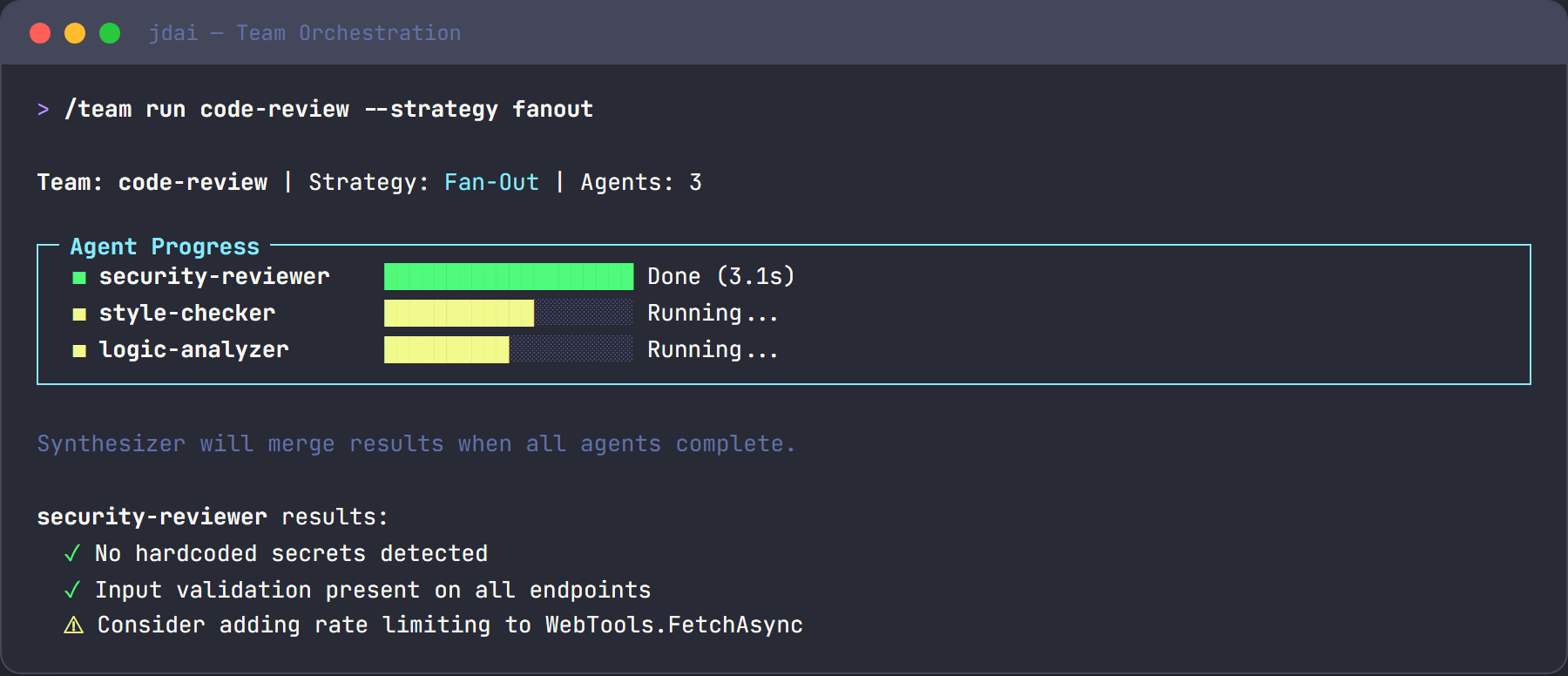
The onProgress callback enables real-time UI rendering. JD.AI's Spectre.Console panel uses this to display agent status:
onProgress?.Invoke(new SubagentProgress(
    AgentName: "security-reviewer",
    Status: "Analyzing authentication module...",
    IsComplete: false));
The progress panel shows:
- Current status per agent (running, completed, failed)
- Active task description
- Elapsed time
Nesting guards
Orchestration includes depth guards to prevent infinite recursion:
- Default max depth: 2 levels of nesting
- Configurable via
AgentSession.MaxOrchestrationDepth - Teams that exceed the limit receive an error result
Synthesis patterns
The synthesis step runs after all agents complete. Strategies use a dedicated synthesis prompt:
private async Task<string> SynthesizeResultsAsync(
    TeamContext context, ISubagentExecutor executor, CancellationToken ct)
{
    var resultsBlock = string.Join("\n\n",
        context.Results.Select(r => $"## {r.Key}\n{r.Value.Output}"));

    var synthesisAgent = new SubagentConfig
    {
        Name = "synthesizer",
        Type = SubagentType.General,
        Prompt = $"Synthesize these results into a unified answer:\n\n{resultsBlock}"
    };

    var result = await executor.ExecuteAsync(synthesisAgent, synthesisAgent.Prompt, ct);
    return result.Output;
}
Choosing a strategy
Use this decision guide to pick the right strategy for your use case:
Is the task order-dependent?
├── Yes → Do agents need structured typed data passed between them?
│         ├── Yes → PipelineStrategy
│         └── No  → SequentialStrategy
└── No  → Can all agents work from the same input independently?
          ├── Yes → Do you need a single agreed answer?
          │         ├── Yes → VotingStrategy
          │         └── No  → Is the input too large for one agent?
          │                   ├── Yes → MapReduceStrategy
          │                   └── No  → FanOutStrategy (with synthesis)
          └── No  → Does only one agent need to run?
                    ├── Yes → RelayStrategy (routing / dispatch)
                    └── No  → Do agents need to build on each other's findings iteratively?
                              ├── Yes → BlackboardStrategy
                              └── No  → Does a coordinator need to direct and retry agents?
                                        ├── Yes → SupervisorStrategy
                                        └── No  → DebateStrategy (independent perspectives + moderation)
Quick-reference table
| Strategy | Agents run | Input | Best for |
|---|---|---|---|
sequential |
One at a time, ordered | Previous output | Dependent pipeline steps |
pipeline |
One at a time, ordered | Typed AgentWorkflowData fields |
Structured ETL / transformation |
fan-out |
All in parallel | Same prompt | Independent parallel analysis |
voting |
All in parallel | Same prompt | Consensus on a single answer |
map-reduce |
Map: parallel; Reduce: single | Input chunks | Large document / file processing |
relay |
One (condition-matched) | Original input | Intent routing |
blackboard |
Iterative rounds | Shared scratchpad | Collaborative, emergent reasoning |
supervisor |
Dynamic, coordinator-directed | Coordinator decision | Complex tasks requiring retry/redirect |
debate |
All in parallel, then moderated | Same prompt | Multi-perspective synthesis |
See also
- Subagents — individual agent types and capabilities
- Architecture Overview — system architecture
- Orchestration user guide — end-user documentation