OpenClaw Integration
OpenClaw is an open-source multi-AI gateway that orchestrates conversations across different AI providers and messaging platforms. The JD.AI ↔ OpenClaw integration connects the two gateways via the OpenClawBridgeChannel, enabling agents on either platform to communicate, share context, and route messages across boundaries.
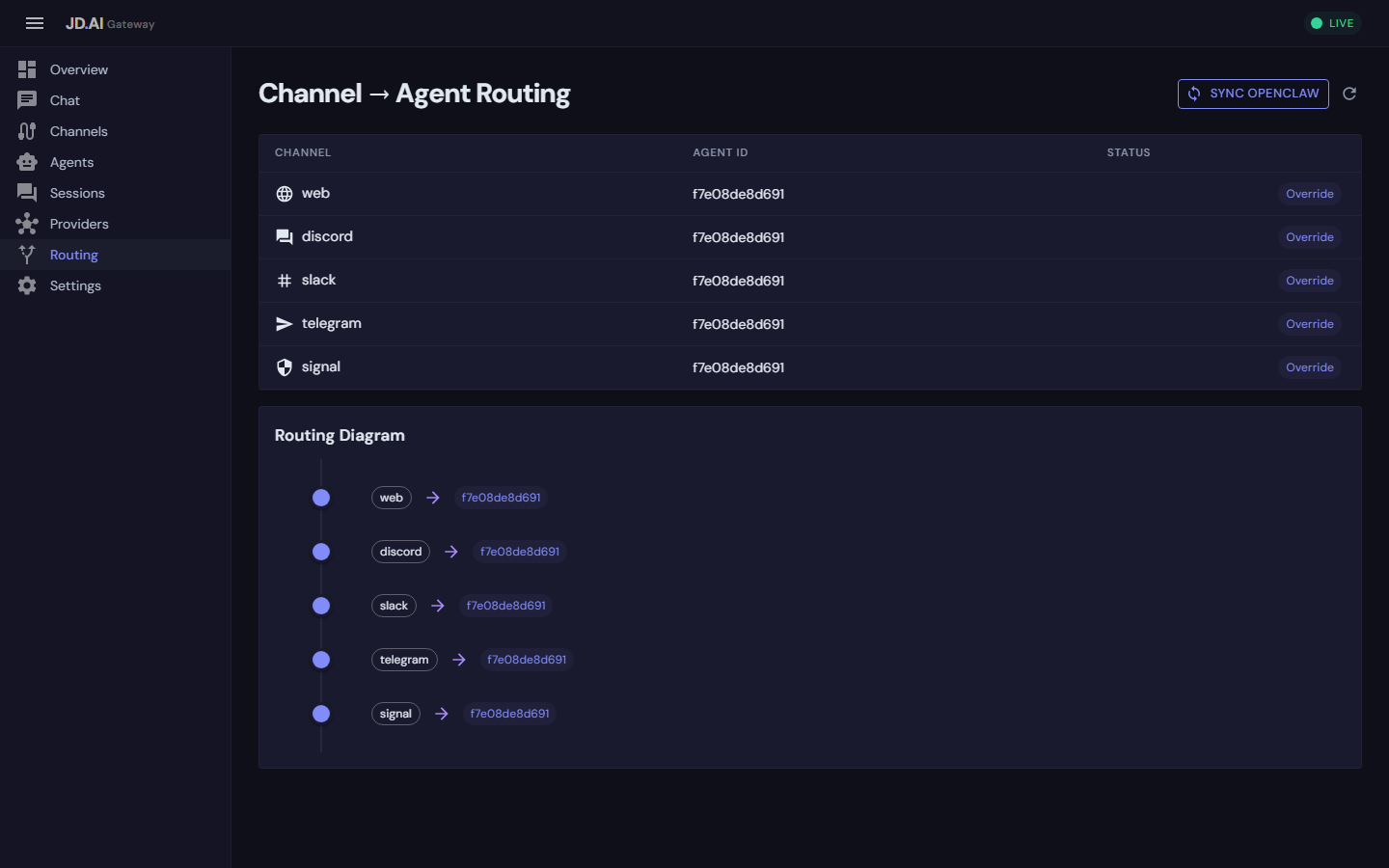
Why integrate with OpenClaw
| Scenario | Without integration | With integration |
|---|---|---|
| Multi-gateway routing | Each gateway manages its own channels | Messages flow between gateways |
| Provider diversity | Limited to one gateway's providers | Combine both provider ecosystems |
| Platform coverage | Each gateway's channels only | Span platforms connected to either gateway |
| Failover | Single point of failure | Route through alternate gateway |
Architecture
┌─────────────────────────────────────────────────┐
│                 JD.AI Gateway                    │
│                                                  │
│  ┌──────────┐ ┌──────────┐ ┌─────────────────┐  │
│  │ Discord  │ │ Telegram │ │ OpenClaw Bridge │──┼──┐
│  │ Channel  │ │ Channel  │ │    Channel      │  │  │
│  └────┬─────┘ └────┬─────┘ └────────┬────────┘  │  │
│       │             │                │           │  │
│  ┌────▼─────────────▼────────────────▼────────┐  │  │
│  │              Channel Registry              │  │  │
│  └────────────────────┬───────────────────────┘  │  │
│                       │                          │  │  HTTP
│  ┌────────────────────▼───────────────────────┐  │  │  (poll + post)
│  │              Agent Pool Service            │  │  │
│  └────────────────────────────────────────────┘  │  │
└──────────────────────────────────────────────────┘  │
                                                      │
┌─────────────────────────────────────────────────────▼──┐
│                   OpenClaw Gateway                      │
│  ┌──────────┐ ┌──────────┐ ┌──────────┐               │
│  │  Signal  │ │  Slack   │ │  Matrix  │  ...           │
│  └──────────┘ └──────────┘ └──────────┘               │
└─────────────────────────────────────────────────────────┘
Communication protocol
- Outbound (JD.AI → OpenClaw):
POST /api/messageswith channel, content, sender, and metadata - Inbound (OpenClaw → JD.AI):
GET /api/messages?since={timestamp}&channel={source}polled at configurable interval
Messages include origin metadata to prevent routing loops:
{
  "channel": "jdai-outbound",
  "content": "Here is the code review...",
  "sender": "jdai",
  "metadata": {
    "source": "jdai-gateway",
    "original_channel": "discord-123456"
  }
}
Bridge hijack vs native channels
JD.AI supports two distinct integration shapes:
| Path | Transport owner | Who answers user messages | Best fit |
|---|---|---|---|
| Native channel adapters (Discord/Signal/Slack/Telegram/Web) | JD.AI | JD.AI agent mapped to that channel | Primary JD.AI deployment |
| OpenClaw bridge + Passthrough | OpenClaw | OpenClaw agent (JD.AI observes) | Keep OpenClaw as primary runtime |
| OpenClaw bridge + Intercept/Proxy | OpenClaw transport, JD.AI execution | JD.AI (OpenClaw run is aborted or bypassed) | "Hijack" mode where JD.AI should answer |
| OpenClaw bridge + Sidecar | Shared | OpenClaw by default, JD.AI on trigger | Mixed mode with selective JD.AI takeover |
Operationally, "hijacking OpenClaw" means using Intercept or Proxy so JD.AI generates the assistant response while OpenClaw remains the session transport.
Detecting active override mode
Use gateway status endpoints to determine whether JD.AI is currently overriding OpenClaw traffic:
GET /api/gateway/statusGET /api/gateway/openclaw/status
Both endpoints now include:
openClaw.defaultModeopenClaw.overrideActiveopenClaw.overrideChannels
If overrideActive=true, at least one routed path is running in Intercept, Proxy, or Sidecar (not pure Passthrough).
Fast operator controls
Use daemon commands for quick bridge control without manually editing JSON:
jdai-daemon bridge status
jdai-daemon bridge enable
jdai-daemon bridge disable
jdai-daemon bridge passthrough
Fast switching and handoff commands
You can switch routing/provider behavior at runtime without restarting either gateway.
Native channels (Discord/Slack/Signal)
Use native channel commands:
jdai-routes
jdai-route
jdai-route <agent-or-provider-or-model-fragment>
jdai-provider
jdai-provider <provider-name>
jdai-providers
Examples:
jdai-route ollama
jdai-provider openai
jdai-routes
OpenClaw bridge sessions
Inside an OpenClaw conversation, send /jdai-... commands. The bridge intercepts them, executes in JD.AI, and injects the result back into the session:
/jdai-help
/jdai-routes
/jdai-route ollama
/jdai-provider openai
/jdai-status
Discord model bang commands (!model ..., including mention+bang forms) are supported in bridge sessions for compatibility.
Primary architecture note: direct Discord gateway integration is the canonical runtime path for this behavior. OpenClaw reuses the same shared gateway command dispatcher so command semantics stay consistent.
See Channels for the primary direct-Discord behavior and wiring.
Practical switching behavior
- In Sidecar mode, plain messages continue to OpenClaw;
/jdai-...commands and configured triggers route to JD.AI. - In Intercept/Proxy mode, JD.AI is the active responder for routed messages.
- In Passthrough mode, OpenClaw remains responder; use
/jdai-...commands for targeted control operations.
Setup
Prerequisites
- A running JD.AI Gateway instance
- A running OpenClaw instance with HTTP API enabled
- Network connectivity between the two gateways
Step 1: Configure OpenClaw channels
Create two channels on the OpenClaw side:
jdai-inbound— OpenClaw posts messages here for JD.AIjdai-outbound— JD.AI posts messages here for OpenClaw
Step 2: Register the bridge
Option A: DI registration
builder.Services.AddOpenClawBridge(config =>
{
    config.BaseUrl = "http://openclaw-host:3000";
    config.InstanceName = "production";
    config.ApiKey = "your-openclaw-api-key";
    config.TargetChannel = "jdai-outbound";
    config.SourceChannel = "jdai-inbound";
    config.PollIntervalMs = 1000;
});
Option B: Gateway configuration
{
  "Gateway": {
    "Channels": [
      {
        "Type": "openclaw",
        "Name": "OpenClaw Production",
        "Settings": {
          "BaseUrl": "http://openclaw-host:3000",
          "InstanceName": "production",
          "ApiKey": "your-openclaw-api-key",
          "TargetChannel": "jdai-outbound",
          "SourceChannel": "jdai-inbound",
          "PollIntervalMs": "1000"
        }
      }
    ]
  }
}
Step 3: Connect and verify
curl -X POST http://localhost:18789/api/channels/openclaw/connect \
     -H "X-API-Key: your-jdai-key"

curl http://localhost:18789/api/channels \
     -H "X-API-Key: your-jdai-key"
Step 4: Route messages to an agent
var registry = app.Services.GetRequiredService<IChannelRegistry>();
var pool = app.Services.GetRequiredService<AgentPoolService>();
var openClaw = registry.GetChannel("openclaw")!;

openClaw.MessageReceived += async (msg) =>
{
    var response = await pool.SendMessageAsync(targetAgentId, msg.Content);
    if (response is not null)
        await openClaw.SendMessageAsync(msg.ChannelId, response);
};
Configuration reference
| Property | Type | Default | Description |
|---|---|---|---|
BaseUrl |
string |
http://localhost:3000 |
OpenClaw HTTP API base URL |
InstanceName |
string |
local |
Friendly name for this instance |
ApiKey |
string? |
null |
API key for OpenClaw authentication |
TargetChannel |
string |
default |
Channel for outbound messages (JD.AI → OpenClaw) |
SourceChannel |
string |
default |
Channel for inbound messages (OpenClaw → JD.AI) |
PollIntervalMs |
int |
1000 |
Milliseconds between inbound polls |
Orchestration patterns
Cross-platform agent routing
Route users from any platform to a JD.AI agent:
Discord (JD.AI) ──→ JD.AI Agent ←── Signal (OpenClaw)
Telegram (JD.AI) ──→              ←── Slack (OpenClaw)
Provider failover
Use OpenClaw's providers when JD.AI's primary is unavailable:
openClaw.MessageReceived += async (msg) =>
{
    var providers = await providerRegistry.DetectProvidersAsync(ct);
    if (providers.Any(p => p.IsAvailable))
    {
        var response = await pool.SendMessageAsync(localAgentId, msg.Content);
        await openClaw.SendMessageAsync(msg.ChannelId, response ?? "No response");
    }
    else
    {
        await openClaw.SendMessageAsync(msg.ChannelId, $"/route-to-agent {msg.Content}");
    }
};
Platform-specific routing
openClaw.MessageReceived += async (msg) =>
{
    var response = msg.Metadata.GetValueOrDefault("source_platform") switch
    {
        "signal" => await pool.SendMessageAsync(securityAgentId, msg.Content),
        "slack" => await pool.SendMessageAsync(devOpsAgentId, msg.Content),
        _ => await pool.SendMessageAsync(generalAgentId, msg.Content)
    };

    if (response is not null)
        await openClaw.SendMessageAsync(msg.ChannelId, response);
};
Error handling and resilience
- Connection verification —
ConnectAsyncchecks OpenClaw reachability before starting the poll loop - Poll failure backoff — 5-second wait after poll errors
- Graceful disconnection —
DisconnectAsynccancels the poll loop cleanly - HttpClient management —
AddHttpClient<T>provides connection pooling and DNS refresh
Monitoring
await foreach (var evt in eventHub.StreamEvents("channel.*"))
{
    Console.WriteLine($"[{evt.Timestamp:HH:mm:ss}] {evt.Type}: {evt.SourceId}");
}
Health checks
curl http://localhost:18789/api/channels | jq '.[] | select(.channelType == "openclaw")'
Troubleshooting
| Problem | Check |
|---|---|
| Bridge connects but no messages | Verify SourceChannel matches OpenClaw config |
| Messages sent but not received | Verify TargetChannel and BaseUrl |
| Connection fails on startup | Ensure OpenClaw is running and reachable |
| Duplicate messages | Ensure only one gateway polls the same channel |
See also
- Channel Adapters — all channel adapter guides
- Gateway API — REST endpoints and SignalR hubs
- Team Orchestration — multi-agent coordination