Team Orchestration
Team orchestration coordinates multiple specialized subagents working together on complex tasks. Rather than managing agents individually from your main session, you define a team with a strategy, and the system handles agent lifecycle, communication, and result aggregation automatically.
Each team maintains a shared TeamContext containing a scratchpad, event stream, and collected results.
Strategies
JD.AI supports four orchestration strategies. Choose based on how your agents need to interact.
Sequential
Agents execute in pipeline order. Each agent receives the output of the previous one.
Use case: Multi-stage workflows like analyze → plan → implement → review.
Use a sequential team: first an explore agent to analyze the auth module,
then a plan agent to create an implementation plan,
then a general agent to implement the changes
How it works:
- Agent A runs with the initial prompt
- Agent B runs with Agent A's output as context
- Agent C runs with Agent B's output as context
- Final result is Agent C's output
Fan-out
Agents execute in parallel. A synthesizer merges all results.
Use case: Parallel analysis of independent components.
Use a fan-out team to analyze the frontend, backend, and database
layers of this application simultaneously
How it works:
- All agents run concurrently with the same goal
- Results are collected as each agent completes
- A synthesizer agent merges findings into a unified report
Supervisor
A coordinator agent dispatches tasks to specialist agents dynamically.
Use case: Complex tasks requiring adaptive task allocation.
Use a supervisor team to review this PR —
the supervisor should coordinate security, performance, and correctness reviewers
How it works:
- Supervisor receives the goal
- Supervisor decides which agents to activate and what tasks to assign
- Specialists execute their assigned tasks
- Supervisor reviews results and may reassign or refine
Debate
Multiple agents provide independent perspectives. A moderator synthesizes the best answer.
Use case: Architecture decisions, design trade-offs, and complex problem solving.
Use a debate team to discuss whether we should use microservices
or a modular monolith for this project
How it works:
- Each agent receives the topic and its assigned perspective
- Agents provide independent arguments
- A moderator reviews all perspectives and synthesizes a recommendation
Shared context (TeamContext)
All agents in a team share a TeamContext with three components:
- Scratchpad. A key-value store for sharing data between agents. Any agent can read or write entries.
- Event stream. A real-time log of agent activities — starts, completions, tool calls, and errors.
- Results. Completed agent outputs, accessible to downstream agents and the final synthesizer.
Query shared context from any agent in the team:
query_team_context(key: "events")     # Activity log
query_team_context(key: "results")    # Agent outputs
query_team_context(key: "my-data")    # Custom scratchpad entry
Progress visualization
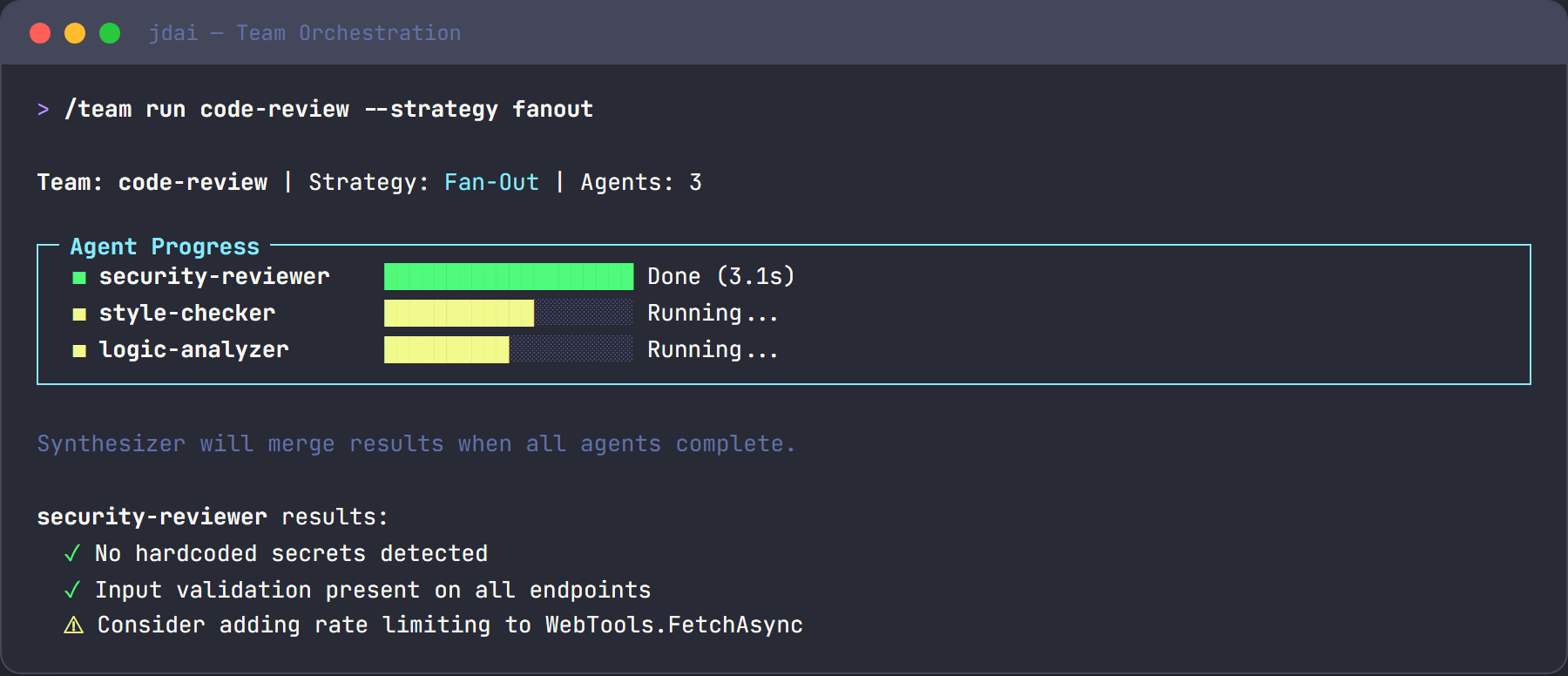
During team execution, a live Spectre.Console panel displays real-time status for each agent:
- Current status (running, completed, or failed)
- Active task description
- Elapsed time
Strategy comparison
| Strategy | Execution | Best for | Agent count |
|---|---|---|---|
| Sequential | Serial | Pipelines, staged workflows | 2–5 |
| Fan-out | Parallel | Independent analysis | 2–10 |
| Supervisor | Dynamic | Complex coordination | 3–6 |
| Debate | Parallel + synthesis | Decisions, trade-offs | 2–4 |
Tips
- Start with sequential for straightforward, multi-step workflows. It is the simplest strategy to reason about.
- Use fan-out when tasks are truly independent and don't need each other's output.
- Supervisor is the most flexible strategy but adds coordination overhead. Use it when the task requires dynamic decision-making about what to do next.
- Debate works best with two or three clearly distinct perspectives. More than four debaters tends to dilute the synthesis.
See also
- Subagents — individual agent types and capabilities
- Common workflows
- Best practices