JD.AI provides a set of built-in tools that the AI agent invokes automatically during conversations. Each tool call is confirmed before execution unless overridden by /autorun, /permissions, or the --dangerously-skip-permissions CLI flag.
Tools are grouped into thirteen categories: File, Search, Shell, Git, Web, Web Search, Memory, Subagent, Think, Environment, Tasks, Code Execution, Clipboard, and Questions.
| Function |
Description |
read_file |
Read file contents with an optional line range. |
write_file |
Write content to a file, creating it if it does not exist. |
edit_file |
Replace exactly one occurrence of oldStr with newStr. |
list_directory |
Produce a tree-like directory listing. |
Parameters
read_file — path (string), startLine (int?, optional, 1-based), endLine (int?, optional, -1 for EOF).write_file — path (string), content (string).edit_file — path (string), oldStr (string), newStr (string).list_directory — path (string?, defaults to cwd), maxDepth (int, default 2).
Example
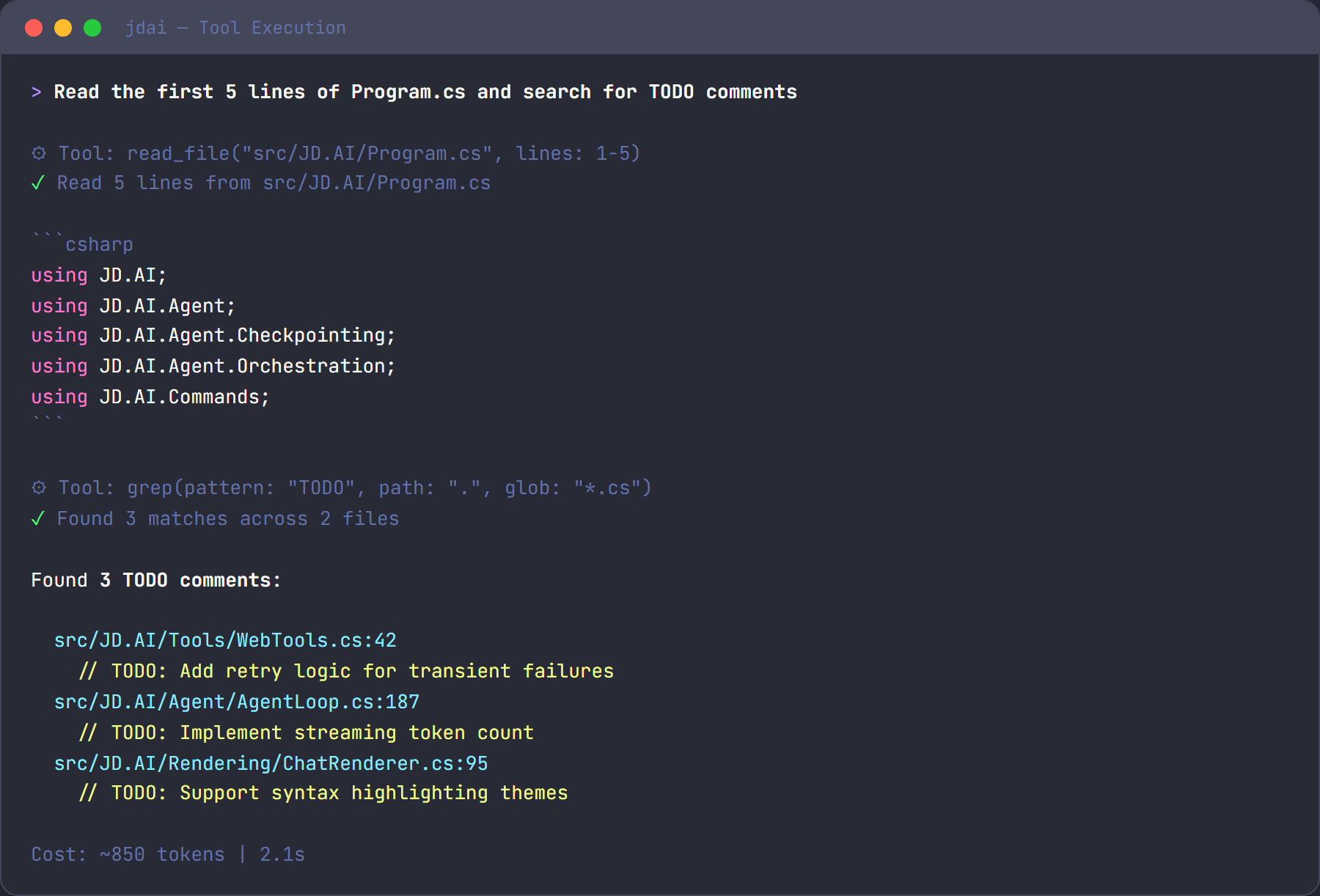
> read the first 20 lines of Program.cs
⚡ Tool: read_file(path: "Program.cs", startLine: 1, endLine: 20)
| Function |
Description |
grep |
Regex search across file contents. |
glob |
Find files matching a glob pattern. |
Parameters
grep — pattern (string), path (string?, default cwd), glob (string?, file filter), context (int, default 0), ignoreCase (bool, default false), maxResults (int, default 50).glob — pattern (string, e.g. **/*.cs), path (string?, default cwd).
Example
> find all files that reference ILogger
⚡ Tool: grep(pattern: "ILogger", glob: "**/*.cs")
| Function |
Description |
run_command |
Execute a shell command and capture its output. |
Parameters
run_command — command (string), cwd (string?, default cwd), timeoutSeconds (int, default 60).
Example
> run the tests
⚡ Tool: run_command(command: "dotnet test", timeoutSeconds: 120)
| Function |
Description |
git_status |
Show working-tree status. |
git_diff |
Show differences between commits, index, or working tree. |
git_log |
Display recent commit history. |
git_commit |
Stage all changes and create a commit. |
git_push |
Push commits to the remote repository. |
git_pull |
Pull changes from the remote repository. |
git_branch |
List, create, or delete branches. |
git_checkout |
Switch branches or restore working tree files. |
git_stash |
Stash or restore uncommitted changes. |
Parameters
git_status — path (string?, default cwd).git_diff — target (string?, e.g. "main", "--staged"), path (string?).git_log — count (int, default 10), path (string?).git_commit — message (string), path (string?).git_push — remote (string, default "origin"), branch (string?, default current branch), path (string?).git_pull — remote (string, default "origin"), branch (string?, default current branch), path (string?).git_branch — name (string?, omit to list), delete (bool, default false), path (string?).git_checkout — target (string, branch/SHA/file), createNew (bool, default false), path (string?).git_stash — action (string: "push", "pop", "list", "drop", default "push"), message (string?, optional), path (string?).
Example
> push the changes to origin
⚡ Tool: git_push(remote: "origin")

> create a new feature branch
⚡ Tool: git_checkout(target: "feat/new-feature", createNew: true)

> stash my current changes
⚡ Tool: git_stash(action: "push", message: "WIP before refactor")
| Function |
Description |
web_fetch |
Fetch a URL and return its content as readable text. |
Parameters
web_fetch — url (string), maxLength (int, default 5000).
| Function |
Description |
web_search |
Search the web for current information. |
Parameters
web_search — query (string), count (int, default 5, max 10).
Example
> search for the latest .NET 9 breaking changes
⚡ Tool: web_search(query: ".NET 9 breaking changes", count: 5)
| Function |
Description |
memory_store |
Store text in semantic memory for later retrieval. |
memory_search |
Search semantic memory by natural-language query. |
memory_forget |
Remove a memory entry by its ID. |
Parameters
memory_store — text (string), category (string?, optional).memory_search — query (string), maxResults (int, default 5).memory_forget — id (string).
Example
> remember that the API key is stored in Azure Key Vault
⚡ Tool: memory_store(text: "API key is stored in Azure Key Vault", category: "architecture")
| Function |
Description |
spawn_agent |
Spawn a specialized subagent for a focused task. |
spawn_team |
Orchestrate a team of cooperating agents. |
query_team_context |
Query the team's shared scratchpad. |
Parameters
spawn_agent — type (explore / task / plan / review / general), prompt (string), mode ("single" or "multi").spawn_team — strategy (sequential / fan-out / supervisor / debate), agents (JSON array), goal (string), multiTurn (bool).query_team_context — key (string — a key name, "events", or "results").
Example
> review the changes in this PR
⚡ Tool: spawn_agent(type: "review", prompt: "Review the staged changes", mode: "single")
| Function |
Description |
think |
Scratchpad for reasoning — no side effects. |
The think tool lets the agent plan, reason through trade-offs, or organize multi-step approaches without executing any actions. It simply returns the thought back as a structured note.
Parameters
think — thought (string).
Example
⚡ Tool: think(thought: "The user wants to refactor auth. I should first check the current implementation, then propose changes.")
| Function |
Description |
get_environment |
Returns OS, architecture, runtime, disk space, and tooling versions. |
Parameters
get_environment — includeEnvVars (bool, default false). When true, includes environment variables with secrets automatically masked.
Example
> what system am I running on?
⚡ Tool: get_environment(includeEnvVars: false)
| Function |
Description |
create_task |
Create a tracked work item with priority. |
list_tasks |
List tasks, optionally filtered by status. |
update_task |
Update a task's status, title, or description. |
complete_task |
Mark a task as done. |
export_tasks |
Export all tasks as JSON. |
Parameters
create_task — title (string), description (string?, optional), priority ("low" / "medium" / "high", default "medium").list_tasks — status (string?, filter: "pending", "in_progress", "done", "blocked").update_task — id (string, e.g. "task-1"), status (string?), title (string?), description (string?).complete_task — id (string).export_tasks — no parameters.
Example
> track the remaining work
⚡ Tool: create_task(title: "Add unit tests for AuthService", priority: "high")
⚡ Tool: create_task(title: "Update README with new endpoints", priority: "medium")
⚡ Tool: list_tasks()
| Function |
Description |
execute_code |
Run a code snippet in C#, Python, Node.js, Bash, or PowerShell. |
Parameters
execute_code — language (string: "csharp", "python", "node", "bash", "powershell"), code (string), timeoutSeconds (int, default 30, max 300).
Temporary files are created in the system temp directory and automatically cleaned up after execution. Processes that exceed the timeout are killed.
Example
> test this regex in python
⚡ Tool: execute_code(language: "python", code: "import re; print(re.findall(r'\\d+', 'abc 123 def 456'))")
| Function |
Description |
read_clipboard |
Read text from the system clipboard. |
write_clipboard |
Write text to the system clipboard. |
Cross-platform support: uses PowerShell/clip on Windows, pbcopy/pbpaste on macOS, and xclip/xsel on Linux.
Parameters
read_clipboard — no parameters.write_clipboard — text (string).
Example
> paste what's on my clipboard
⚡ Tool: read_clipboard()
| Function |
Description |
ask_questions |
Present a structured questionnaire to the user and collect validated answers. |
Parameters
ask_questions — questionsJson (string, JSON). The JSON should contain an AskQuestionsRequest with title, context, questions[] (each with key, prompt, type, required, options[], validation), allowCancel, and submitLabel.
Supported question types
| Type |
Description |
text |
Free-form text input |
confirm |
Yes/no confirmation |
singleSelect |
Pick one option from a list |
multiSelect |
Pick multiple options from a list |
number |
Numeric input with optional min/max bounds |
Example
⚡ Tool: ask_questions(questionsJson: "{\"title\":\"Project Setup\",\"questions\":[{\"key\":\"name\",\"prompt\":\"Project name?\",\"type\":\"text\",\"required\":true}]}")
Create and apply structured text patches across files. The create_patch tool generates unified diff output for review, while apply_patch performs atomic multi-file text replacements — if any edit fails validation, no files are modified.
Functions
create_patch — editsJson (string, JSON array of {path, oldText, newText}). Returns a unified diff showing proposed changes without modifying files.apply_patch — editsJson (string, JSON array of {path, oldText, newText}). Validates all edits first, then applies atomically. Returns an error if any oldText is not found (no files are modified).
Example
⚡ Tool: create_patch(editsJson: "[{\"path\":\"src/Config.cs\",\"oldText\":\"Timeout = 30\",\"newText\":\"Timeout = 60\"}]")
→ --- a/src/Config.cs
  +++ b/src/Config.cs
  @@ -12,1 +12,1 @@
  -Timeout = 30
  +Timeout = 60
Apply multiple text replacements across one or more files in a single atomic operation. All edits are validated before any files are written — if any oldText is not found, no files are modified. Multiple edits to the same file are applied sequentially in order.
Functions
batch_edit_files — editsJson (string, JSON array of {path, oldText, newText}). Groups edits by file, validates all, then writes atomically.
Example
⚡ Tool: batch_edit_files(editsJson: "[{\"path\":\"src/App.cs\",\"oldText\":\"v1\",\"newText\":\"v2\"},{\"path\":\"src/Config.cs\",\"oldText\":\"old\",\"newText\":\"new\"}]")
→ Applied 2 edit(s) across 2 file(s):
    src/App.cs: 1 edit(s)
    src/Config.cs: 1 edit(s)
Track token usage and estimated costs for the current session. The agent loop can record usage after each turn, and the get_usage tool provides a summary with cost estimates across common model pricing tiers.
Functions
get_usage — No parameters. Returns session token counts (prompt, completion, total), tool call count, turn count, and estimated costs for several model pricing tiers.reset_usage — No parameters. Resets all session usage counters to zero.
Every tool belongs to a safety tier that controls how confirmation is handled:
| Tier |
Behavior |
Tools |
| Auto-approve |
Runs without confirmation |
read_file, grep, glob, list_directory, git_status, git_diff, git_log, git_branch, memory_search, web_fetch, ask_questions, think, get_environment, list_tasks, export_tasks, read_clipboard, get_usage, create_patch |
| Confirm once |
Asks once per session |
write_file, edit_file, git_commit, git_push, git_pull, git_checkout, git_stash, memory_store, memory_forget, create_task, update_task, complete_task, write_clipboard, spawn_agent, spawn_team, apply_patch, batch_edit_files, reset_usage |
| Always confirm |
Asks every invocation |
run_command, web_search, execute_code |
Three mechanisms override the default confirmation behavior:
| Mechanism |
Scope |
Description |
/autorun |
Session |
Toggle auto-approve for all tools in the current session. |
/permissions |
Session |
Toggle permission checks entirely — no confirmations at all. |
--dangerously-skip-permissions |
Process |
CLI flag that disables all permission checks for the lifetime of the process. |
Warning
Disabling confirmations means the agent can write files, run commands, and commit code without asking. Use these overrides only in trusted, automated environments.