Commands Reference
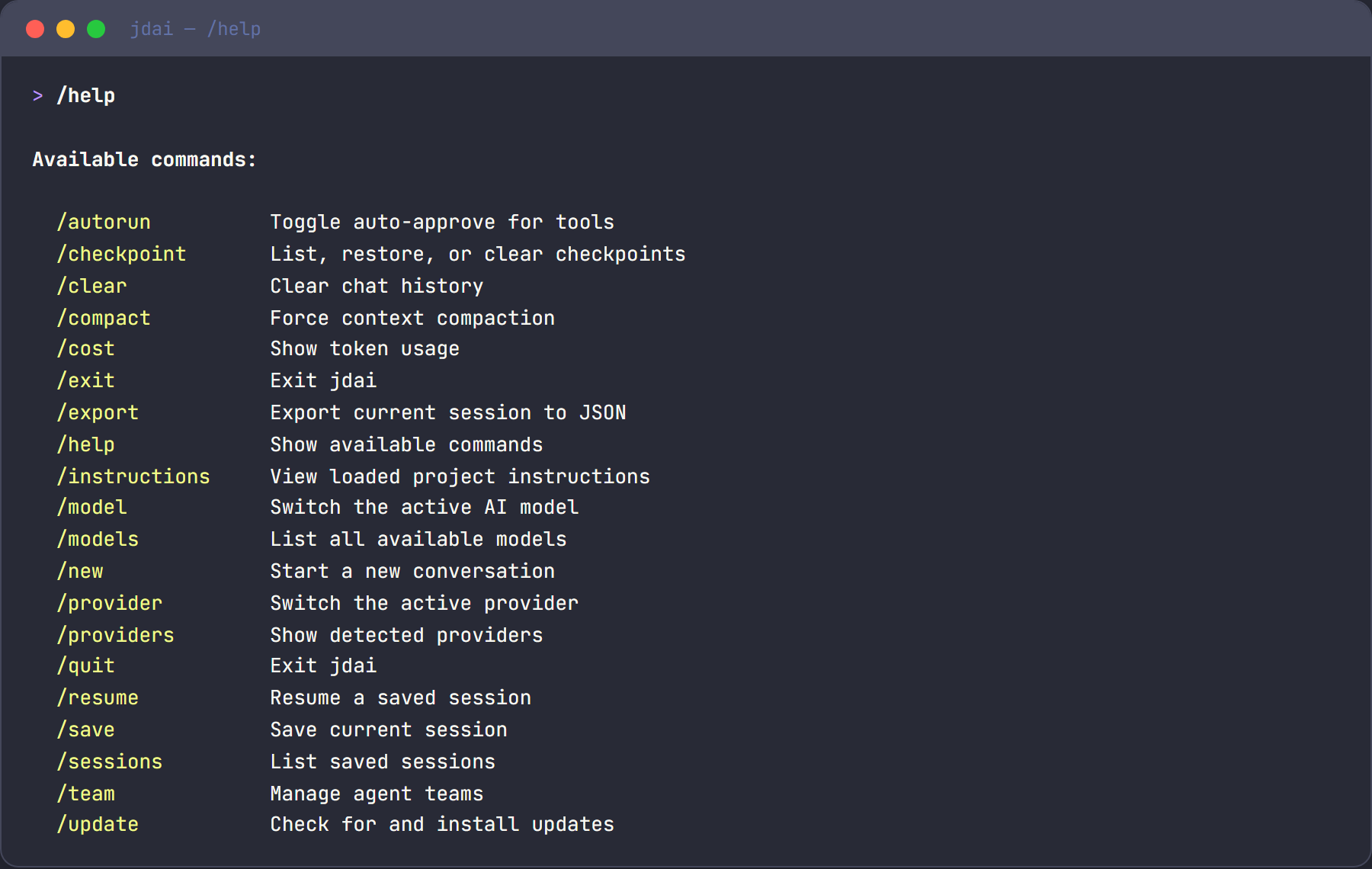
Slash commands are typed at the > prompt prefixed with /. Type /help to see all commands.
Model & Provider Management
/help
Show all available commands with descriptions.
/models
List all available models across all detected providers. Shows model ID, provider name, and current selection.
/model <id>
Switch to a different model. The model ID can be partial — JD.AI fuzzy-matches.
/model gpt-4o
/model claude-sonnet
/model llama3.2
/providers
List all detected AI providers with their connection status and available model count.
Detecting providers...
  ✅ Claude Code: Authenticated — 1 model(s)
  ✅ GitHub Copilot: Authenticated — 3 model(s)
  ❌ Ollama: Not available
/provider
Show the currently active provider and model.
Context Management
/clear
Clear the entire conversation history. Starts fresh while keeping the same session.
/compact
Force context compaction — summarizes the conversation to free up context window space. Use when conversations get long.
/cost
Show token usage statistics for the current session: prompt tokens, completion tokens, and total cost.
Safety Controls
/autorun
Toggle auto-approve mode for tool execution. When enabled, tools run without confirmation prompts.
Warning
Use with caution — tools can modify files and run commands.
/permissions
Toggle permission checks entirely. When disabled, all tools execute without any confirmation.
Warning
Equivalent to --dangerously-skip-permissions for the current session.
Session Management
/sessions
List recent sessions with ID, name, project path, and turn count. Sessions are stored in ~/.jdai/sessions.db.
/resume [id]
Resume a previous session. Without an ID, shows the list to choose from. With an ID, loads that specific session.
/resume
/resume abc123
/name <name>
Name the current session for easy recall.
/name feature-authentication
/history
Show the turn-by-turn history of the current session with role, token counts, and timestamps. Supports interactive rollback (double-ESC).
/export
Export the current session to a JSON file. Saved to ~/.jdai/exports/.
Project & Environment
/update
Check for new versions of JD.AI on NuGet and optionally apply the update.
/instructions
Show all loaded project instructions (from JDAI.md, CLAUDE.md, AGENTS.md, etc.).
/plugins
List all loaded plugins with their names, descriptions, and source paths.
/checkpoint
Manage git checkpoints for safe rollback:
/checkpoint list          # Show all checkpoints
/checkpoint restore <id>  # Restore to a checkpoint
/checkpoint clear         # Remove all checkpoints
/sandbox
Show current sandbox/execution mode information.
Local Model Management
/local list
List all registered local GGUF models with their ID, display name, quantization, parameter size, and file size.
/local add <path>
Register a model file or directory. If path is a directory, it is recursively scanned for .gguf files.
/local add ~/models/mistral-7b.Q4_K_M.gguf
/local add /path/to/models-folder/
/local scan [path]
Scan a directory for .gguf files and merge discovered models into the registry. Without a path, scans the default model directory (~/.jdai/models/).
/local scan
/local scan /opt/llm-models/
/local search <query>
Query the HuggingFace Hub API for GGUF-tagged model repositories matching the search terms. Results include repository ID and download count.
/local search llama 7b
/local search mistral instruct
Tip
Set the HF_TOKEN environment variable for higher rate limits and access to gated repositories.
/local download <repo-id>
Download a GGUF model from a HuggingFace repository. Prefers Q4_K_M quantization by default. Downloads support resume — if interrupted, re-run the command to continue.
/local download TheBloke/Mistral-7B-Instruct-v0.2-GGUF
/local remove <model-id>
Remove a model from the registry. The file on disk is not deleted.
See Local Models for the full guide.
Customization
/spinner [style]
Change the TUI loading/thinking spinner animation style. Without an argument, cycles through available styles. Available styles:
| Style | Description |
|---|---|
none |
No animation or progress display |
minimal |
Single dot with elapsed time only |
normal |
Braille spinner with elapsed time and token count (default) |
rich |
Spinner with progress bar, tokens, bytes, and throughput |
nerdy |
All statistics including model name, time-to-first-token, and internals |
/spinner normal
/spinner nerdy
Workflow Management
/workflow
List all captured workflows. Workflows are recorded automatically during multi-step agent executions and can be replayed.
/workflow list
Show the workflow catalog with IDs, descriptions, step counts, and when they were last run.
/workflow show <id>
Display the steps of a specific workflow including tool calls, data flow, and dependencies.
/workflow export <id>
Export a workflow to a reusable JSON file.
/workflow replay <id>
Re-execute a previously captured workflow, optionally with modified parameters.
/workflow refine <id>
Open a workflow for interactive editing — add, remove, or reorder steps before replaying.
/quit or /exit
Exit JD.AI. Unsaved sessions are auto-saved.
Gateway Channel Commands
The Gateway exposes commands natively on each connected channel. These work differently per platform:
- Discord: Registered as native slash commands (e.g.,
/jdai-help) - Signal: Prefix commands (e.g.,
!jdai-help) - Slack: Native slash commands (e.g.,
/jdai-help)
jdai-help
Lists all available gateway commands and their usage.
jdai-usage
Shows current usage statistics — uptime, active agents, total turns, and per-agent breakdown.
jdai-status
Shows agent and channel health status — connected channels and running agents with uptime.
jdai-models
Lists available providers, configured agent models, and currently running agents.
jdai-switch <model> [provider]
Spawns a new agent with the specified model. Provider defaults to the current agent's provider if omitted.
jdai-switch gpt-4
jdai-switch llama3.2:latest Ollama
jdai-clear [agent]
Clears conversation history for an agent (first 8 chars of ID). Clears all agents if omitted.
jdai-agents
Lists all running agents, their models, turn counts, uptime, and routing table mappings.
Quick Reference
| Command | Description |
|---|---|
/help |
Show help |
/models |
List models |
/model <id> |
Switch model |
/providers |
List providers |
/provider |
Show current provider |
/clear |
Clear conversation |
/compact |
Compress context |
/cost |
Token usage |
/autorun |
Toggle auto-approve |
/permissions |
Toggle confirmations |
/sessions |
List sessions |
/resume [id] |
Resume session |
/name <name> |
Name session |
/history |
Show history |
/export |
Export to JSON |
/update |
Check for updates |
/instructions |
Show instructions |
/plugins |
List loaded plugins |
/checkpoint |
Manage checkpoints |
/sandbox |
Sandbox info |
/local list |
List local models |
/local add <path> |
Register model |
/local scan |
Scan for models |
/local search <q> |
Search HuggingFace |
/local download <repo> |
Download model |
/local remove <id> |
Remove model |
/spinner [style] |
Change spinner |
/workflow |
List workflows |
/quit |
Exit |
Gateway Commands (Discord / Signal / Slack)
| Command | Description |
|---|---|
jdai-help |
Show gateway commands |
jdai-usage |
Usage statistics |
jdai-status |
Agent/channel health |
jdai-models |
List models/providers |
jdai-switch <model> |
Switch agent model |
jdai-clear [agent] |
Clear history |
jdai-agents |
List running agents |