Test framework integrations
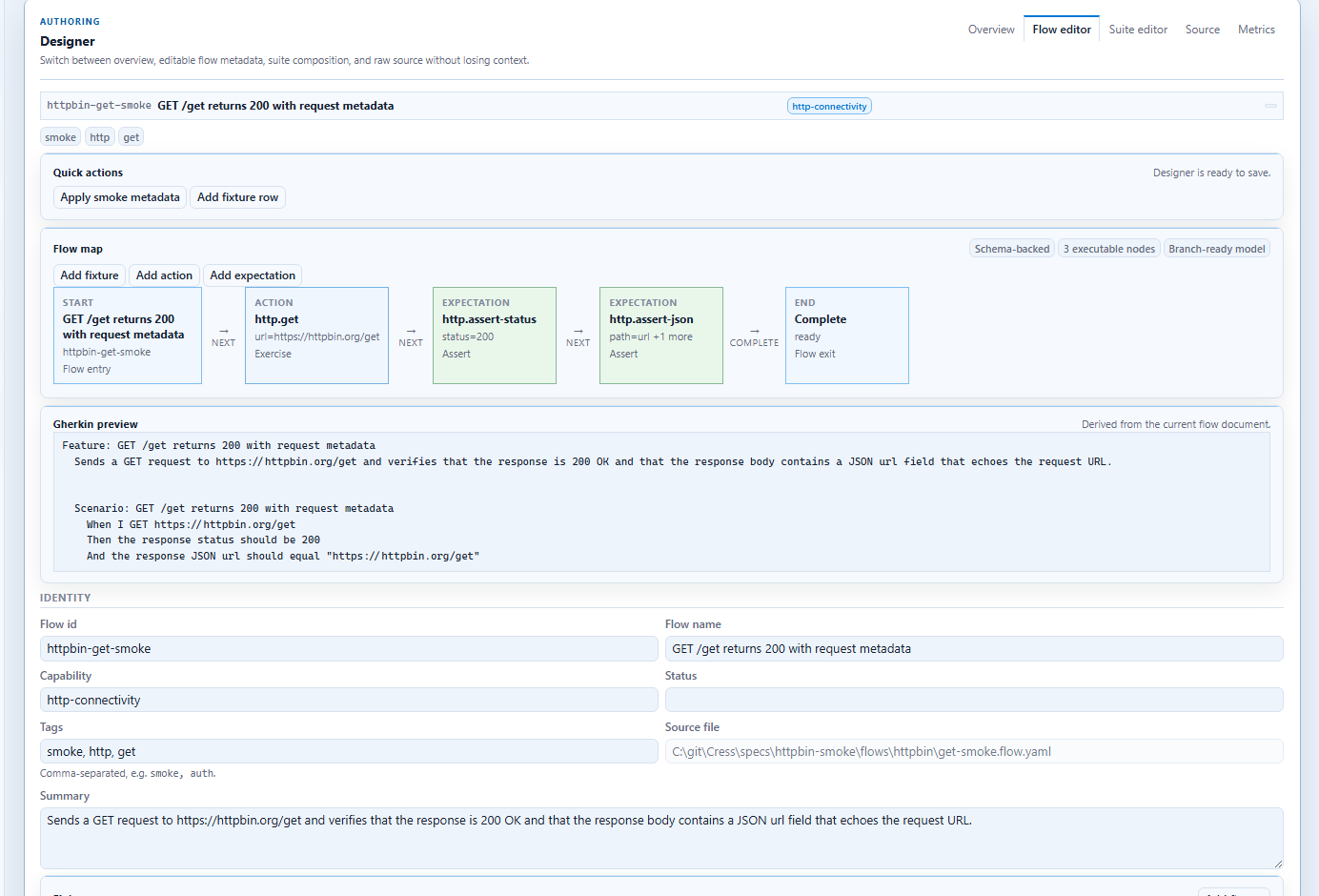
Cress can now export framework-native C# tests for xUnit, NUnit, and MSTest without translating the scenario away from the Cress engine. The generated test class calls Cress.Testing at runtime, which means designers can keep authoring flows in Studio while product teams run those same flows inside standard .NET test suites and CI pipelines.
Why this matters
This integration is designed for teams that want all of these at the same time:
- source-controlled Cress flows and manifests
- Studio-based authoring for designers, QA, or SDETs
- product-owned test projects that already use xUnit, NUnit, or MSTest
- pipeline-native execution, filtering, and reporting
Supported export commands
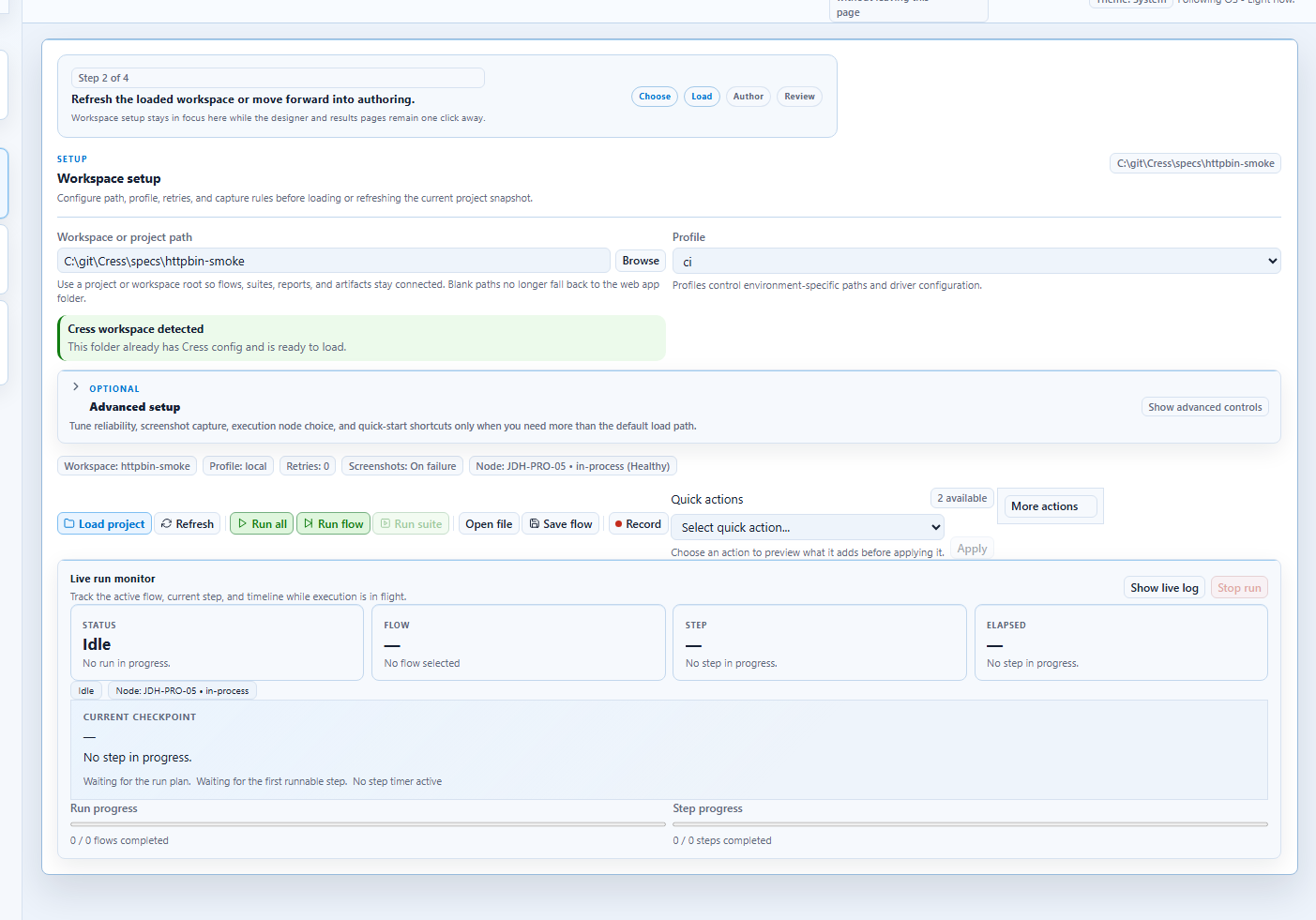
Each command generates a C# test file for one flow:
dotnet run --project src\Cress.Cli\Cress.Cli.csproj -- export xunit specs\httpbin-smoke --flow httpbin-get-smoke
dotnet run --project src\Cress.Cli\Cress.Cli.csproj -- export nunit specs\httpbin-smoke --flow httpbin-get-smoke
dotnet run --project src\Cress.Cli\Cress.Cli.csproj -- export mstest specs\httpbin-smoke --flow httpbin-get-smoke
By default, Cress writes generated files to <project>\exports\.
Common options
| Option | Purpose |
|---|---|
--flow |
Select the flow id to export. Partial matching is supported through the existing flow resolution logic. |
--output |
Override the output .cs file path. |
--namespace |
Set the generated namespace. |
--class-name |
Force a specific generated class name. |
--profile |
Embed a Cress profile so the generated test uses the same environment or driver settings in CI. |
Minimal test-project setup
Generated files are intentionally small. The host test project owns package references, test filters, and pipeline conventions.
xUnit
<Project Sdk="Microsoft.NET.Sdk">
  <PropertyGroup>
    <TargetFramework>net10.0-windows</TargetFramework>
    <IsTestProject>true</IsTestProject>
  </PropertyGroup>

  <ItemGroup>
    <PackageReference Include="xunit" Version="2.9.3" />
    <PackageReference Include="xunit.runner.visualstudio" Version="3.1.5">
      <PrivateAssets>all</PrivateAssets>
    </PackageReference>
    <PackageReference Include="Microsoft.NET.Test.Sdk" Version="18.5.1" />
  </ItemGroup>

  <ItemGroup>
    <ProjectReference Include="..\..\src\Cress.Testing\Cress.Testing.csproj" />
  </ItemGroup>
</Project>
Framework-specific integration patterns
The generated test files stay intentionally thin. Put environment setup and orchestration in the host framework's normal lifecycle hooks.
xUnit: collection fixtures and shared environment setup
Use xUnit when your team already uses collection fixtures or test-host patterns to stand up shared dependencies for a suite.
Typical ownership split:
- Studio authors create or refine the Cress flow
- engineers export the flow to xUnit
- an xUnit fixture starts shared services, AppHost, or seed data
- the generated test runs the flow through
CressTestEngine
Example fixture shape:
public sealed class PortalEnvironmentFixture : IAsyncLifetime
{
    public Task InitializeAsync()
    {
        // Start AppHost, seed data, or ensure dependent services are ready.
        return Task.CompletedTask;
    }

    public Task DisposeAsync() => Task.CompletedTask;
}
This pattern works well for:
- service suites with one shared environment
- web suites that need a seeded backend before browser tests run
- mixed UI/API suites that should execute under
dotnet test
NUnit: one-time setup for desktop or integration suites
Use NUnit when the repository already organizes integration or desktop tests around fixtures and setup/teardown hooks.
Typical pattern:
[SetUpFixture]
public sealed class DesktopEnvironmentSetup
{
    [OneTimeSetUp]
    public void StartEnvironment()
    {
        // Start prerequisites, verify desktop dependencies, or prepare test data.
    }
}
This is a strong fit for:
- desktop automation on dedicated Windows agents
- hybrid desktop/service suites
- longer-lived integration environments where setup cost should be amortized
MSTest: class initialize for tooling and enterprise suites
Use MSTest when the surrounding product or enterprise tooling stack already standardizes on MSTest discovery and execution.
Typical pattern:
[TestClass]
public sealed class EnvironmentSetup
{
    [ClassInitialize]
    public static void Initialize(TestContext context)
    {
        // Prepare CLI dependencies, configuration, or test hosts.
    }
}
This works especially well for:
- internal admin or tooling validation suites
- enterprise repositories with MSTest conventions
- command-line or installer verification flows
NUnit
<Project Sdk="Microsoft.NET.Sdk">
  <PropertyGroup>
    <TargetFramework>net10.0-windows</TargetFramework>
    <IsTestProject>true</IsTestProject>
  </PropertyGroup>

  <ItemGroup>
    <PackageReference Include="NUnit" Version="4.4.0" />
    <PackageReference Include="NUnit3TestAdapter" Version="5.1.0">
      <PrivateAssets>all</PrivateAssets>
    </PackageReference>
    <PackageReference Include="Microsoft.NET.Test.Sdk" Version="18.5.1" />
  </ItemGroup>

  <ItemGroup>
    <ProjectReference Include="..\..\src\Cress.Testing\Cress.Testing.csproj" />
  </ItemGroup>
</Project>
MSTest
<Project Sdk="Microsoft.NET.Sdk">
  <PropertyGroup>
    <TargetFramework>net10.0-windows</TargetFramework>
    <IsTestProject>true</IsTestProject>
  </PropertyGroup>

  <ItemGroup>
    <PackageReference Include="MSTest.TestFramework" Version="3.8.3" />
    <PackageReference Include="MSTest.TestAdapter" Version="3.8.3">
      <PrivateAssets>all</PrivateAssets>
    </PackageReference>
    <PackageReference Include="Microsoft.NET.Test.Sdk" Version="18.5.1" />
  </ItemGroup>

  <ItemGroup>
    <ProjectReference Include="..\..\src\Cress.Testing\Cress.Testing.csproj" />
  </ItemGroup>
</Project>
Step-by-step: export a Calculator smoke test into xUnit
This is a practical bridge between Studio-authored desktop flows and a product-owned regression suite.
1. Author and validate the flow
Use specs\calc-smoke or your own desktop project:
dotnet run --project src\Cress.Cli\Cress.Cli.csproj -- validate specs\calc-smoke
2. Export the flow
dotnet run --project src\Cress.Cli\Cress.Cli.csproj -- export xunit specs\calc-smoke --flow calc.add-two-plus-two --profile local
3. Add the generated file to an xUnit test project
The generated test will:
- reference
Cress.Testing - resolve the Cress project path
- call
CressTestEngine.RunFlowAsync(...) - fail the test with a framework-native assertion failure if the Cress run fails
If the environment needs shared startup, keep that logic in a fixture and let the generated test remain business-scenario focused.
4. Run it with the rest of the suite
dotnet test tests\MyProduct.Tests\MyProduct.Tests.csproj --filter FullyQualifiedName~Calc
Step-by-step: export a cmd.exe smoke flow into MSTest
This is a strong pattern for infrastructure or tooling teams who already have MSTest-based validation suites.
Use the demos\cmd-smoke project from the CLI walkthrough, or substitute your own CLI-focused Cress project path.
1. Create or reuse a CLI flow
For example, cmd.echo from the CLI guide.
2. Export it
dotnet run --project src\Cress.Cli\Cress.Cli.csproj -- export mstest demos\cmd-smoke --flow cmd.echo --namespace Contoso.Tools.Tests --class-name CmdSmokeTests
3. Commit the file into the product test suite
The scenario still runs through Cress, so you keep:
- profiles
- evidence collection
- source-authored steps
- generated reports
while also gaining:
- MSTest discovery
- normal
dotnet testexecution - easy pipeline adoption on existing agents
For CLI-heavy suites, keep machine configuration, temporary directories, and service bootstrap logic in MSTest setup rather than hardcoding them into the flow.
GUI-based and code-based orchestration together
The most reusable pattern is:
- use Studio or Studio Web to author and refine the flow
- keep environment addresses, credentials strategy, and variants in profiles
- use xUnit, NUnit, or MSTest lifecycle hooks for startup and teardown
- let the generated test call the Cress engine for the actual scenario execution
That way the GUI side owns authoring and evidence review, while the code side owns suite wiring and environment orchestration.
Example generated shape
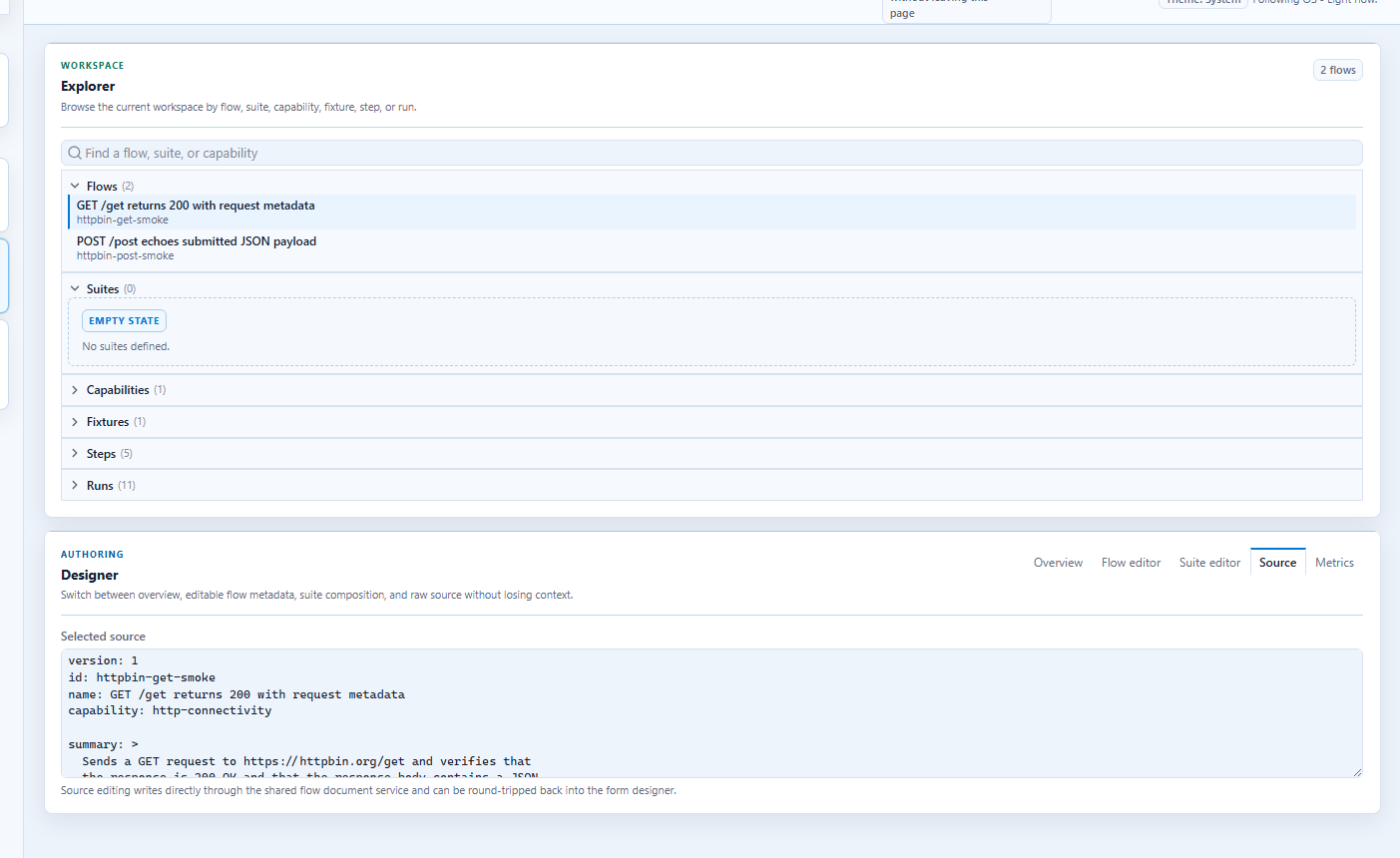
An xUnit export from specs\httpbin-smoke looks like this:
using System.Threading.Tasks;
using Cress.Testing;
using Xunit;

namespace Cress.Generated.Xunit;

public sealed class HttpbinGetSmokeXunitTests
{
    [Fact]
    public async Task GETGetReturns200WithRequestMetadata()
    {
        await CressTestEngine.RunFlowAsync(
            projectPath: CressTestPaths.ResolveProjectPath(@"specs\httpbin-smoke"),
            flowPath: @"flows\httpbin\get-smoke.flow.yaml");
    }
}
This is the key bridge: the flow still originates in the GUI and source-authoring experience, but the execution surface can be dotnet test.
How the generated tests work
The exported test code keeps a small surface area on purpose:
- framework attribute such as
[Fact],[Test], or[TestMethod] - one async test method
- a call to
CressTestPaths.ResolveProjectPath(...) - a call to
CressTestEngine.RunFlowAsync(...)
That design keeps the execution model centralized in Cress instead of scattering runner logic across generated files.
Recommended repository layout
Use one of these patterns:
| Pattern | When to use it |
|---|---|
Generate into <cress-project>\exports\ and copy into a test project |
good for experimentation while you settle on the final ownership model |
Generate directly into a product test project with --output |
good when you are ready to check generated tests into the main suite |
| Regenerate in CI from source-controlled flows | good when generated code is treated as a build artifact rather than authored source |
CI and pipeline guidance
For pipeline use:
- keep the Cress project in the repo so generated tests can resolve it predictably
- pass
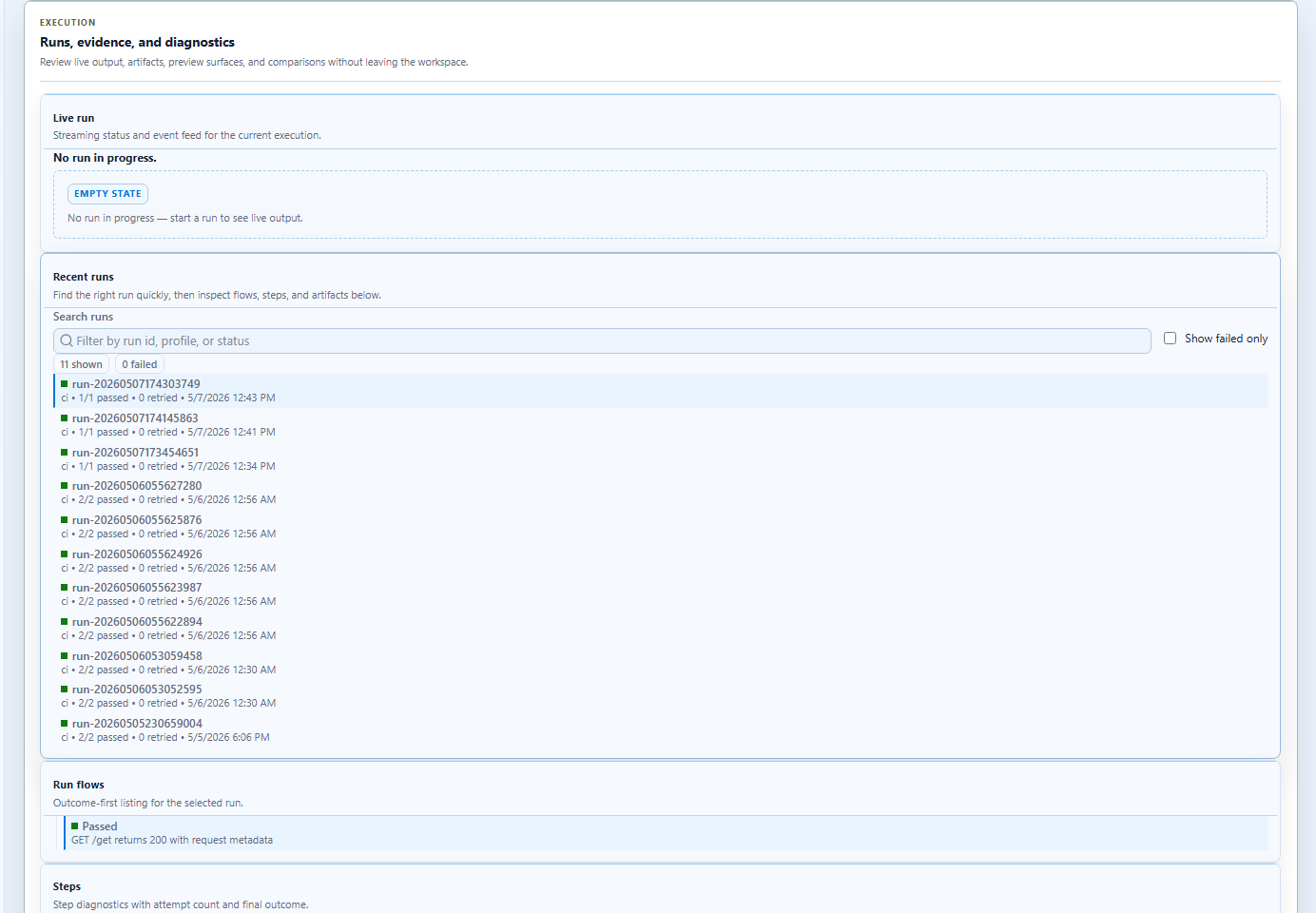
--profile ciduring export when the pipeline should pin a known environment profile - publish standard framework test results and Cress evidence artifacts together
- run desktop flows on Windows agents with the right UI automation prerequisites
When to use this instead of plain cress run
Prefer generated framework tests when:
- the team already has a large .NET test suite
- test selection and ownership are organized around xUnit, NUnit, or MSTest
- pipeline policy expects one framework-native entry point
Prefer plain cress run when:
- you are exploring or iterating rapidly
- the suite is primarily Cress-owned
- you want the simplest authoring-to-execution path
For fuller demos that show how these exported tests fit into an engineering workflow, see Framework demos and development-cycle integration.