Authoring flows
Cress flows are easiest to maintain when they stay close to user intent and avoid environment-specific or selector-heavy implementation detail.
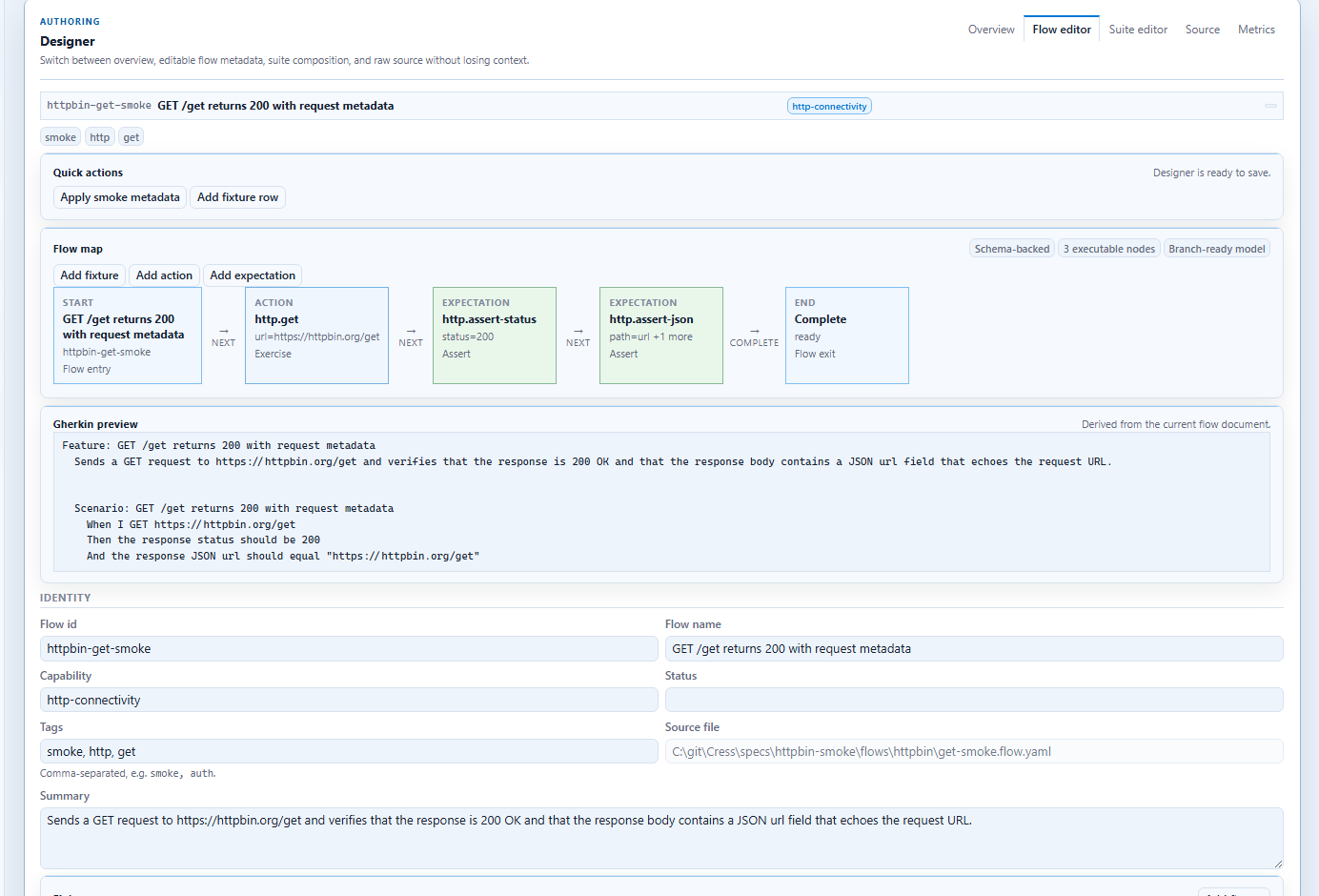
Flow anatomy
A durable flow usually includes:
idandnamecapabilitytags- optional
given - required
when - required
then
Example:
version: 1
id: sign-in-report
name: Sign in and open the report
capability: quarterly-reporting

tags:
  - smoke
  - reporting

when:
  - step: browser.navigate
    with:
      url: http://localhost:3000/login
  - step: ui.fill
    with:
      testId: email-input
      value: user@example.com
  - step: ui.invoke
    with:
      role: button
      label: Sign in
then:
  - expect: ui.assert-text
    with:
      testId: report-heading
      text: Quarterly Report Q1 2026
Locator strategy
Web
testIdrole+labelrolelabeltextcssSelectorxpath
Desktop
automationIdname+controlTypelabelrole
Authoring rules that scale
- keep flows small enough to diagnose quickly
- prefer profile variables over hard-coded environment data
- link flows to capabilities and acceptance criteria
- use tags for CI selection and reporting slices
- publish enough evidence that teams can debug without rerunning immediately
When to split a flow
Split a flow when:
- it spans multiple business outcomes
- one unstable setup step causes many false failures
- the same setup is needed across many flows
- the failure evidence becomes too noisy to diagnose
What belongs outside the flow
Keep these in project structure rather than inline in a flow:
- environment values in profiles
- reusable test data in fixtures
- cross-flow capability context in
capabilities\ - implementation bindings in step manifests or plugins